Model
Last updated April 5, 2026
Nano Banana Pro (Gemini)
for AI agents
Nano Banana Pro is Google's Gemini 3 Pro Image model, released November 2025. It's a better fit when an agent needs to edit an existing image instead of generating from scratch. Through AnyCap, the Google image model becomes part of the same capability runtime and CLI used for other image and video tasks, so agents can move from generation to revision without changing tools.
Generated example
Before-and-after proof for the revision workflow
Nano Banana Pro makes the most sense after a draft already exists. This pair shows that idea directly: a rough base image first, then a cleaner launch-ready revision through an image-to-image edit.
Before

After
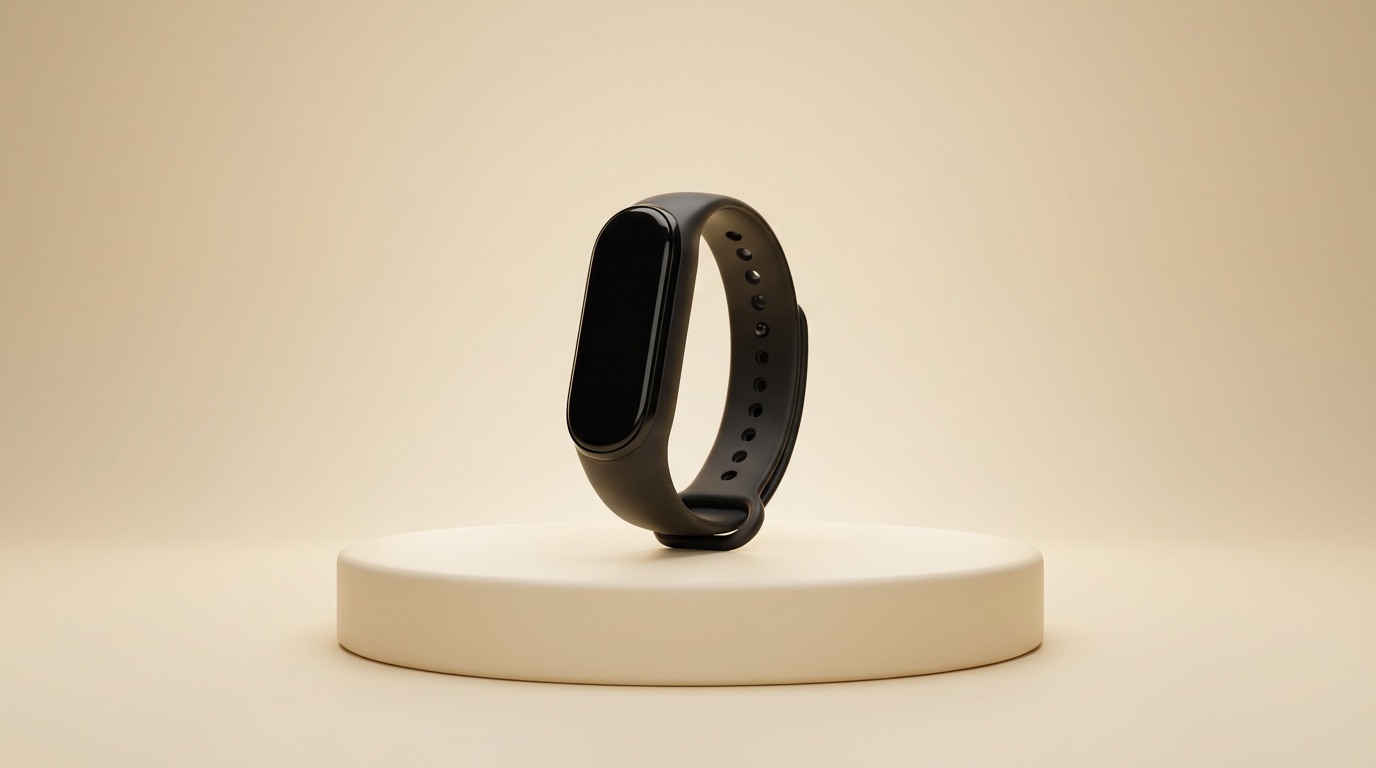
Edit prompt used with AnyCap
replace the cluttered desk with a warm cream studio gradient and a minimal pedestal, center the wearable device, add soft rim light and cleaner composition, preserve the device shape, make it look launch-ready, premium product marketing photo, no text, no watermark
Why it helps this page
- Turns the abstract idea of a revision loop into a visual before-and-after sequence.
- Demonstrates background cleanup, subject centering, and lighting improvements without swapping the product itself.
- Creates a stronger experience signal than a page that only says the model is good at editing.
The left image is a rough Nano Banana 2 draft. The right image is the Nano Banana Pro revision generated through AnyCap from that source asset.
Why this model page matters
Guide to using Nano Banana Pro, Google Gemini's November 2025 image generation and editing model, through AnyCap for image editing, revision loops, and prompt-based updates inside AI agent workflows.
A dedicated model page helps teams decide whether this model belongs in the workflow before they start wiring prompts or capability calls into an agent task. That is especially useful when several adjacent models can appear to solve the same problem but differ in motion quality, style fit, editing strength, or operational tradeoffs.
When agents should choose Nano Banana Pro
- Revise an existing image with a text instruction
- Adjust lighting, composition, or background without rebuilding the asset
- Run fast agent iteration loops on visual drafts
- Start from an input image instead of a blank prompt
Call Nano Banana Pro through AnyCap
Edit an existing image
anycap image generate --model nano-banana-pro --mode image-to-image --prompt "replace the background with a warm studio light" --param reference_image_urls='["./input.png"]' -o revised.png
Use the result in a review loop
The model is a strong fit when the agent has already inspected a draft and is applying feedback inside a larger workflow.
Workflow tradeoffs
Choose Nano Banana Pro
When the agent already has an image and needs targeted changes, multiple revisions, or prompt-based editing.
Choose Seedream 5 instead
When the workflow begins from a text prompt and the agent needs a polished fresh image rather than an edit pass.
Nano Banana Pro vs nearby choices
| Dimension | Nano Banana Pro | Alternative |
|---|---|---|
| Best fit | Prompt-based image editing, revision loops, and targeted visual updates after a draft already exists | Choose Seedream 5 for polished first-pass generation or Nano Banana 2 for faster high-volume iteration |
| Workflow role | Revision model that follows generation, review, or visual feedback | Use a sibling model when the workflow needs to create a fresh asset from a blank prompt |
| Typical agent task | Take an existing asset, apply a change request, and return a more usable revision quickly | Move back to Seedream 5 or Nano Banana 2 if the workflow becomes more about generation throughput than editing precision |
FAQ
What is Nano Banana Pro best for?
Nano Banana Pro is best for targeted image edits, revision loops, and prompt-based updates when an agent already has a draft image to work from.
How do agents call Nano Banana Pro through AnyCap?
Agents can call it with the AnyCap CLI using anycap image generate --model nano-banana-pro in image-to-image mode with a reference image and an edit prompt.
Should I use Nano Banana Pro or Seedream 5?
Use Nano Banana Pro when the job starts from an existing image and needs revisions. Use Seedream 5 when the workflow starts from a blank prompt and needs a stronger first-pass visual.