Model
Last updated April 10, 2026
Veo 3.1
for AI agents
Veo 3.1 is a premium video generation model exposed through AnyCap. It handles both text-to-video and image-to-video workflows: agents can generate a cinematic clip from a text brief, or animate an existing image into motion without leaving the same CLI. The result stays inside one capability runtime alongside image generation, video analysis, and other multimodal steps.
Generated example
Illustrative keyframe for a premium text-to-video brief
Video output is time-based, so this page uses a companion still to anchor the brief visually. The image reflects the kind of cinematic scene planning teams often do before sending a premium text-to-video request.
Companion keyframe
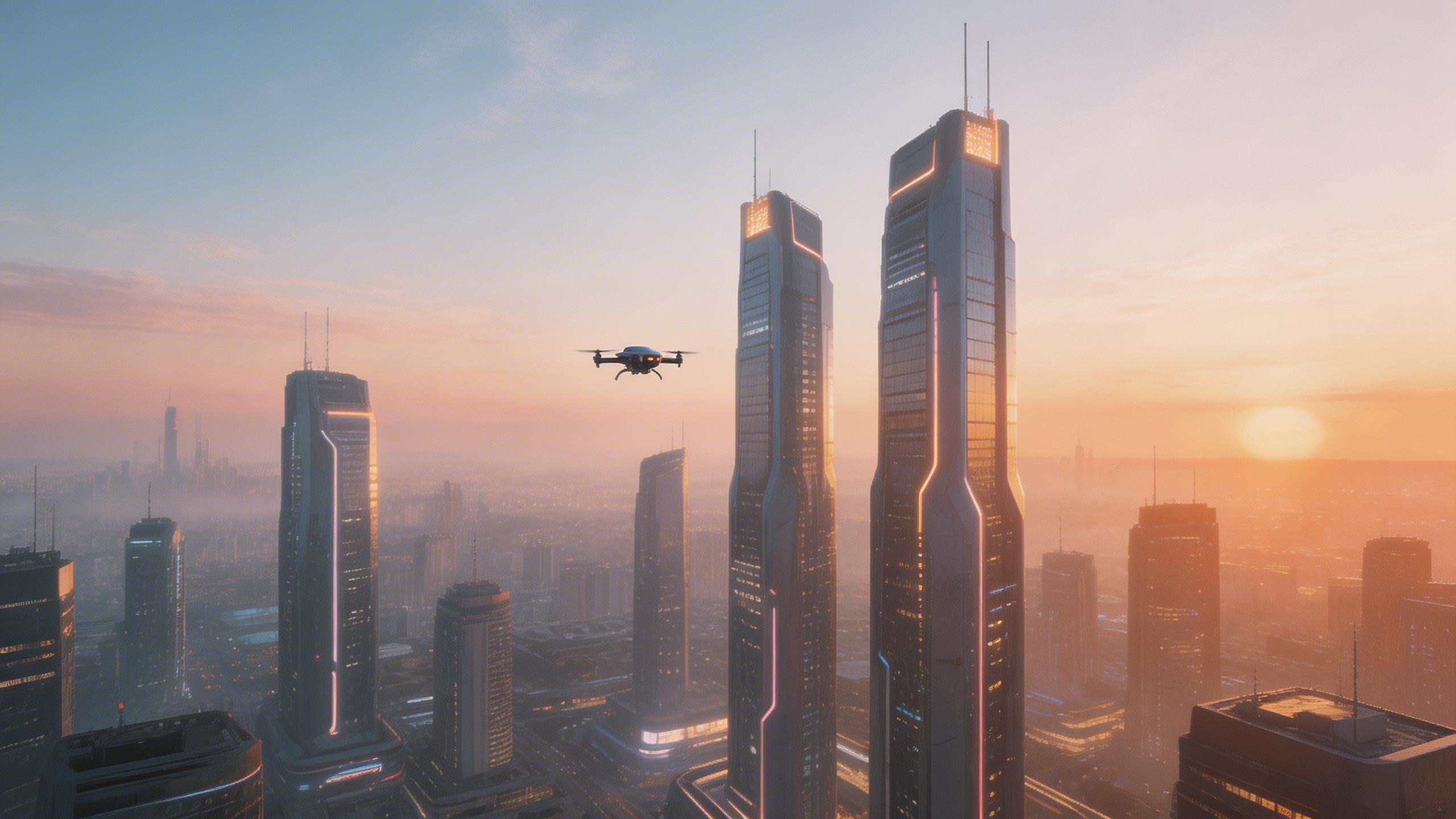
Illustrative still prompt
cinematic aerial keyframe of a futuristic city at dawn, a drone gliding between towers, soft haze, warm sunrise rim light, premium sci-fi film still, no text, no watermark
Why it helps this page
- Gives readers a concrete visual anchor next to the CLI example and workflow explanation.
- Supports the page's positioning of Veo 3.1 as the premium first-pass lane in the current video stack.
- Improves multimedia coverage without pretending a static image is the full video output.
This still was generated through AnyCap as a visual proxy for the kind of premium scene brief that pairs well with Veo 3.1.
Why this model page matters
Guide to using Veo 3.1 through AnyCap for premium text-to-video and image-to-video generation inside AI agent runtimes.
A dedicated model page helps teams decide whether this model belongs in the workflow before they start wiring prompts or capability calls into an agent task. That is especially useful when several adjacent models can appear to solve the same problem but differ in motion quality, style fit, editing strength, or operational tradeoffs.
When agents should use Veo 3.1
- Generate short product demos from a written concept (text-to-video)
- Animate a product screenshot, design frame, or reference photo into a cinematic clip (image-to-video)
- Create motion prototypes during agent-led content workflows
- Turn a text brief into an explainer or teaser draft
- Keep video generation inside the same agent runtime used for image and analysis tasks
Veo 3.1 specs at a glance
| Output | Video clips, up to 8 seconds, up to 1080p |
|---|---|
| Modes | Text-to-video, image-to-video |
| Audio | Native synced ambient sound and speech |
| Strengths | Premium cinematic quality, strong prompt adherence |
| Reference image | Strong character and composition preservation |
| Provider | Google DeepMind |
| AnyCap CLI | anycap video generate --model veo-3.1 |
Call Veo 3.1 through AnyCap
Text-to-video
anycap video generate --model veo-3.1 --prompt "a cinematic flyover of a futuristic city at dawn" -o city.mp4
Image-to-video
anycap video generate --model veo-3.1 --mode image-to-video --prompt "slow push-in with soft parallax and ambient light shifts" --param images='["./keyframe.jpg"]' -o animated.mp4
List available video models
anycap video models
Workflow placement
In an agent workflow, Veo 3.1 is usually the generation step that follows planning and precedes review. A coding or automation agent may draft the concept, call Veo 3.1 for the video output, then route the result into review, asset packaging, or documentation.
Upstream
Context engineering, prompt preparation, story framing, and asset selection.
Downstream
Review, editing notes, video analysis, and distribution inside the rest of the agent stack.
Veo 3.1 vs Kling 3.0 vs Seedance 2.5
All three are available through AnyCap. Compare the verified input modes below, then inspect the selected model's live schema before generating.
| Dimension | Veo 3.1 | Kling 3.0 | Seedance 2.5 |
|---|---|---|---|
| Best fit | Premium cinematic first pass, prompt fidelity | Realistic motion, image-to-video continuity | Text, image, first/last-frame, and multimodal-reference inputs |
| Max duration | Up to 8 seconds | Up to 15 seconds | Inspect the live mode schema |
| Native audio | Yes — synced ambient + speech | Yes — dialogue, ambient, SFX | Audio can be used as a multimodal reference input |
| Image-to-video | Strong, preserves character + composition | Strong, preserves source frame style | Supported |
| Provider | Google DeepMind | Kuaishou | ByteDance |
| AnyCap CLI | --model veo-3.1 | --model kling-3.0 | --model seedance-2.5 |
Veo 3.1 vs nearby choices
| Dimension | Veo 3.1 | Alternative |
|---|---|---|
| Best fit | Premium cinematic output from a text brief or a reference image | Choose Kling 3.0 when first/last-frame transitions or multi-shot control matter, or Seedance 2.5 when multimodal references are required |
| Text-to-video | Strong first-pass quality when the clip needs to land close to final from a prompt alone | Use Kling 3.0 for first/last-frame or multi-shot workflows, or Seedance 2.5 for text, image, first/last-frame, or multimodal-reference input modes |
| Image-to-video | Animate a reference frame into premium cinematic motion while preserving the source composition | Choose Kling 3.0 when multi-shot control matters, or Seedance 2.5 when the workflow also needs first/last-frame or multimodal references |
| Typical agent task | Turn a written concept or product screenshot into a polished teaser, demo, or concept clip | Route the output into review, packaging, or follow-up analysis after the initial generation step |
FAQ
What is Veo 3.1 best for?
Veo 3.1 is best for premium video generation — both text-to-video and image-to-video — when an agent needs a stronger cinematic first pass from a written brief or a reference image.
How do agents use Veo 3.1 for image-to-video?
Agents can animate a reference image by running anycap video generate --model veo-3.1 --mode image-to-video with the source image passed via --param images. The CLI handles the upload and returns the video output.
How do agents call Veo 3.1 through AnyCap?
Agents call it with the AnyCap CLI using anycap video generate --model veo-3.1 and a prompt for text-to-video, or add --mode image-to-video with a reference image. Same auth as every other capability.
Should I use Veo 3.1 or Kling 3.0?
Use Veo 3.1 when the first-pass result needs the most premium look from a text brief or a reference image. Use Kling 3.0 when the workflow needs longer clips (up to 15s) or more flexible image-to-video iteration.
How long can a Veo 3.1 clip be?
Veo 3.1 generates clips up to 8 seconds at 1080p with native synced ambient audio and speech in a single pass.
Veo 3.1 vs Sora — which should an agent use?
Veo 3.1 is the production-ready API option with native audio sync and strong image-to-video. Sora is broadly available but currently lighter on multimodal API integration. For agent workflows that need a stable API surface, Veo 3.1 through AnyCap is the more dependable choice today.