Model
Last updated April 5, 2026
Kling 3.0
for AI agents
Kling 3.0 is a strong fit when an agent needs realistic motion and cinematic scene generation through one video runtime. Through AnyCap, teams can keep Kling 3.0 in the same CLI and auth flow they already use for Veo 3.1, Seedance 2.5, image generation, and downstream analysis tasks.
Generated example
Illustrative keyframe for realistic motion and scene continuity
Kling 3.0 is often chosen for realistic motion and cinematic image-to-video work. This still is there to show the kind of moody, motion-ready scene brief that fits that job.
Companion keyframe
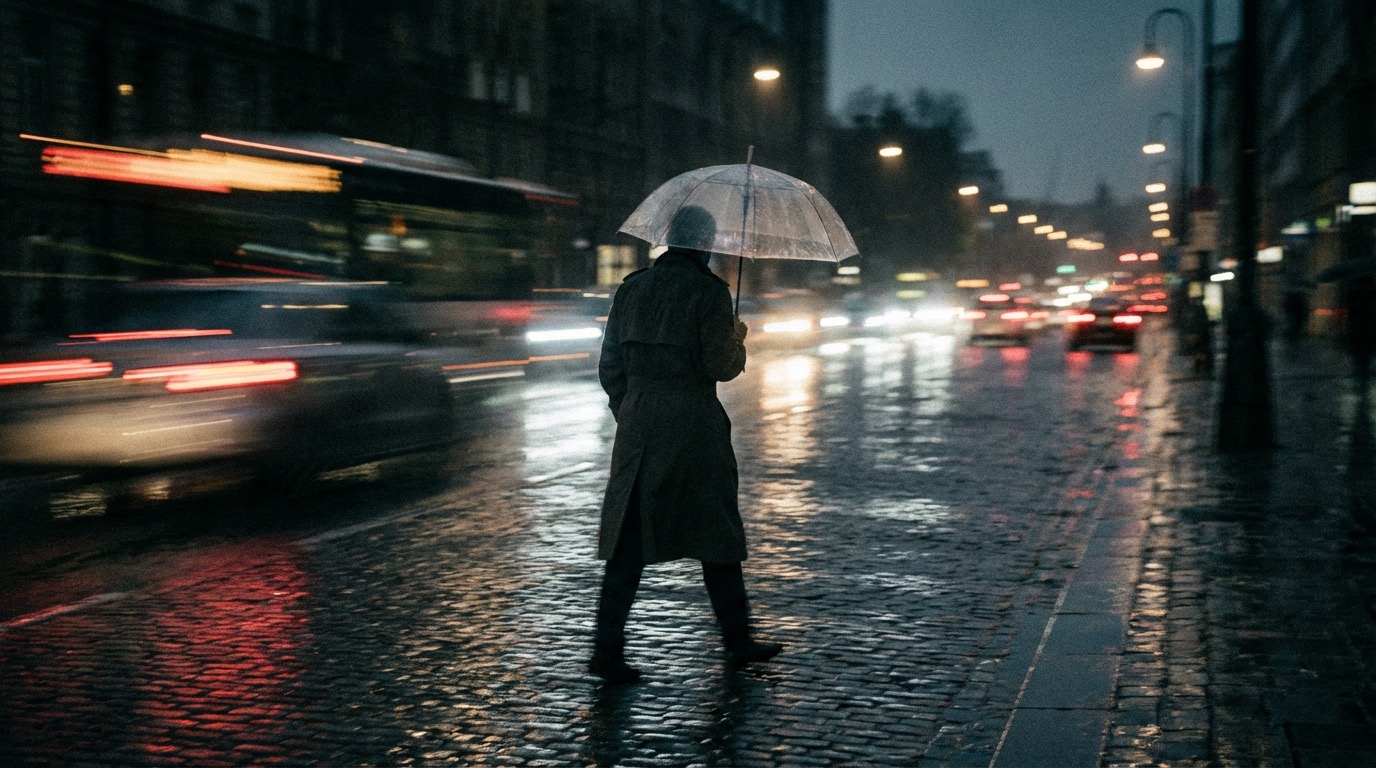
Illustrative still prompt
rain-soaked cinematic street scene at night, lone person under a transparent umbrella, reflective pavement, abstract light streaks, realistic moody still with strong motion implication, no storefront signs, no billboards, no text, no watermark
Kling 3.0 produces video, not a single frame. The image below works as a visual proxy for the kind of cinematic source scene teams may animate.
Why it helps this page
- Makes the realistic-motion positioning more tangible than text alone.
- Helps the image-to-video explanation land by starting from a scene that already implies movement.
- Adds first-party multimedia that separates the page from thinner model roundups.
This companion still was generated through AnyCap to make the Kling 3.0 page feel more grounded in a real scene brief instead of only listing features.
Why this model page matters
Guide to using Kling 3.0 through AnyCap for realistic text-to-video and image-to-video workflows inside AI agent runtimes.
A dedicated model page helps teams decide whether this model belongs in the workflow before they start wiring prompts or capability calls into an agent task. That is especially useful when several adjacent models can appear to solve the same problem but differ in motion quality, style fit, editing strength, or operational tradeoffs.
When agents should choose Kling 3.0
- Realistic motion and cinematic scene generation
- Image-to-video workflows that need stronger visual continuity
- Multi-shot drafts where character consistency matters across cuts
- Clips that need native audio-visual sync without a separate audio pass
- Agent-driven video drafts for demos, ads, and short product clips up to 15 seconds
- Teams that want Kling 3.0 in the same runtime as Veo 3.1 and Seedance 2.5
Kling 3.0 specs at a glance
| Output | Video clips, 5–15 seconds, up to 1080p |
|---|---|
| Modes | Text-to-video, image-to-video, multi-shot scene continuation |
| Audio | Native audio-visual sync (dialogue, ambient, sound effects) |
| Character consistency | Maintains subject across shots within a scene |
| Storyboard | Multi-shot planning from a single prompt |
| Strengths | Realistic motion, cinematic lighting, image-to-video continuity |
| AnyCap CLI | anycap video generate --model kling-3.0 |
Call Kling 3.0 through AnyCap
Generate a new clip
anycap video generate --model kling-3.0 --prompt "a cinematic street scene in the rain with neon reflections" -o kling-scene.mp4
Animate a reference image
anycap video generate --model kling-3.0 --mode image-to-video --prompt "slow push-in with subtle environmental motion" --param images='["./frame.jpg"]' -o kling-animated.mp4
Workflow placement
In an agent workflow, Kling 3.0 often serves as the generation step that turns a prompt or reference frame into a motion-rich draft. The result can then flow into review, packaging, or follow-up analysis without leaving the AnyCap runtime.
Upstream
Context engineering, prompt shaping, reference-frame selection, and scene planning.
Downstream
Review, clip packaging, video analysis, and distribution across the rest of the agent stack.
Kling 3.0 vs Veo 3.1 vs Seedance 2.5
All three are available through AnyCap. Compare the verified input modes below, then inspect the selected model's live schema before generating.
| Dimension | Kling 3.0 | Veo 3.1 | Seedance 2.5 |
|---|---|---|---|
| Best fit | Realistic motion, cinematic image-to-video | Premium cinematic first pass, prompt fidelity | Text, image, first/last-frame, and multimodal-reference inputs |
| Max duration | Up to 15 seconds | Up to 8 seconds | Inspect the live mode schema |
| Native audio | Yes — dialogue, ambient, SFX | Yes — synced ambient + speech | Audio can be used as a multimodal reference input |
| Image-to-video | Strong — preserves source frame style | Supported, leans toward reinterpretation | Supported |
| Character consistency | Strong within a scene | Strong, especially with reference image | Use references and iteration; output varies |
| AnyCap CLI | --model kling-3.0 | --model veo-3.1 | --model seedance-2.5 |
Kling 3.0 vs nearby choices
| Dimension | Kling 3.0 | Alternative |
|---|---|---|
| Best fit | Realistic motion, cinematic scenes, and flexible image-to-video output | Choose Veo 3.1 for story-driven text or image briefs, or Seedance 2.5 when first/last-frame or multimodal references are required |
| Workflow role | Creative generation model for new clips and animated stills | Use a sibling model when the workflow is optimized for a different motion style or budget target |
| Typical agent task | Turn a prompt or reference frame into a moving scene draft | Route downstream into video analysis, review, or packaging once the clip is generated |
FAQ
What is Kling 3.0 best for?
Kling 3.0 is a strong fit for realistic motion, cinematic visual style, and image-to-video workflows where agents need more than a basic draft clip.
How do agents call Kling 3.0 through AnyCap?
Agents can call it with the AnyCap CLI using anycap video generate --model kling-3.0 and a prompt or image-to-video mode.
Should I use Kling 3.0 or Veo 3.1?
Use Kling 3.0 when the workflow leans toward realistic motion and flexible image-to-video iteration. Use Veo 3.1 when the priority is a premium cinematic first pass.
How long can a Kling 3.0 clip be?
Kling 3.0 generates clips up to 15 seconds, with multi-shot scene continuation that maintains character consistency across cuts within a scene.
Does Kling 3.0 support native audio?
Yes. Kling 3.0 produces audio-visual synced output including dialogue, ambient sound, and effects in the same generation pass — no separate audio model required.
Can Kling 3.0 animate a reference image?
Yes. Image-to-video mode takes a source frame and a motion prompt, then preserves the source style while adding motion. In AnyCap, pass --mode image-to-video and reference images via --param.