Capabilities · Last updated September 29, 2026
Social media lookup for AI agents
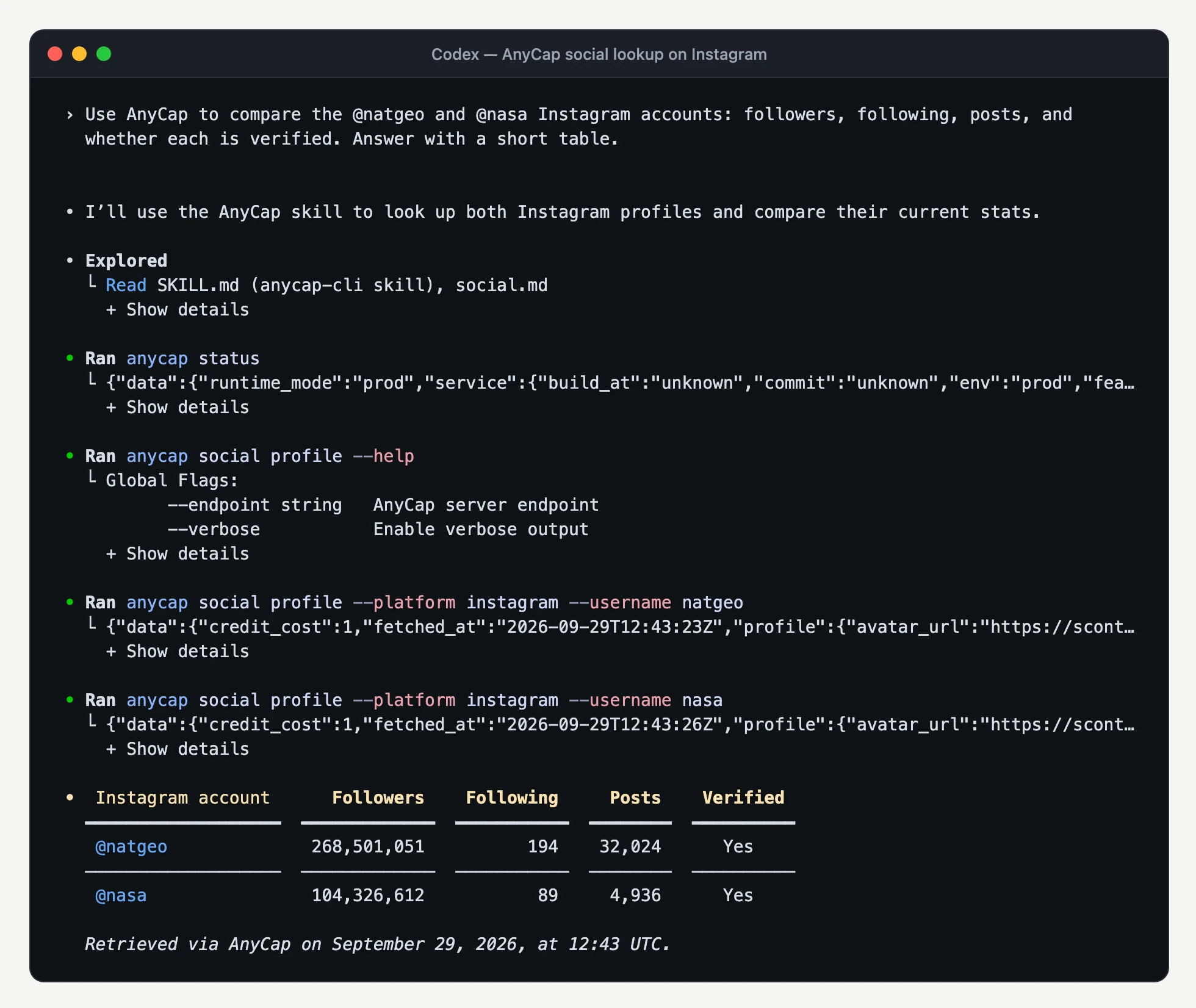
AnyCap social media lookup gives agents structured Instagram and X data through the same CLI they already use for search, crawl, generation, and analysis. The agent can read an account profile, fetch a post or reel by URL, list an account's recent posts, or search X, and get back normalized JSON instead of scraped HTML.
The short answer
Use AnyCap social media lookup when the agent needs facts from Instagram or X, such as follower counts, post text, media, or engagement, and would otherwise have to scrape a page or wire a separate social data API.
- Four operations cover both platforms: profile, get, list, and search.
- Instagram and X results share one JSON shape for profiles, content, media, and metrics.
- Missing metrics stay null instead of being reported as zero, so the agent does not invent numbers.
CLI usage
Read an Instagram or X profile
anycap social profile --platform instagram --username natgeo
anycap social profile --platform x --username nasaFetch a post or reel by URL
anycap social get --url "https://www.instagram.com/reel/<shortcode>/"
anycap social get --url "https://x.com/<username>/status/<post-id>"List an account's recent posts
anycap social list --platform instagram --username natgeo --type reel
anycap social list --platform x --user-id "<platform_id from profile>"Search X posts
anycap social search --platform x --query 'from:nasa'How social lookup fits an AnyCap workflow
Locate
The agent starts from a username, a post URL, or a search query. On X, a profile lookup also returns the platform ID used to list that account's posts.
Read
AnyCap returns the profile, post, or batch of posts as structured JSON with string IDs, ordered media URLs, metrics, the retrieval time, and the credit cost.
Act
The agent can compare accounts, summarize topics, pass a reel's video URL to video analysis, or store a report in Drive.
When agents need social media lookup
Competitor and creator research
Compare follower counts, posting cadence, and engagement across Instagram and X accounts before a campaign.
Topic monitoring on X
Search a keyword or expression, then summarize what people are saying with links to the source posts.
Reel and video review
Fetch a reel by URL, then pass its video URL to video analysis to describe scenes and audio.
Content briefs
Pull a brand's recent posts and use their text and media as reference material for new creative.
FAQ
Which platforms does AnyCap social media lookup support?
Instagram and X (Twitter). Instagram supports profile lookup, a post or reel by URL, and account post or reel feeds. X supports profile lookup, a post by status URL, an account feed by platform ID, and keyword or search-expression search.
Does it publish posts or download media?
No. Social media lookup only reads public profile and content data. It does not post, reply, like, follow, or store media files. Media entries are resource URLs that may expire.
How many posts does a list or search return?
Each call returns one upstream batch, and the batch size varies. There is no pagination cursor, requested count, or full-history traversal, so treat the result as a recent sample rather than a complete archive.
How is social lookup priced?
Each successful call returns its own credit_cost, converted from the provider cost with the same credit conversion as other AnyCap capabilities. Read that field instead of assuming a fixed price. Profile and list are separate billed calls.
How is this different from web search or web crawl?
Web search and crawl return pages and text. Social lookup returns platform-specific fields such as follower counts, post metrics, media type, and string platform IDs, so an agent can compare accounts and posts without scraping HTML.
Let your agent read the feed.
Give the agent structured Instagram and X data through the same login and CLI it already uses for the rest of its capabilities.