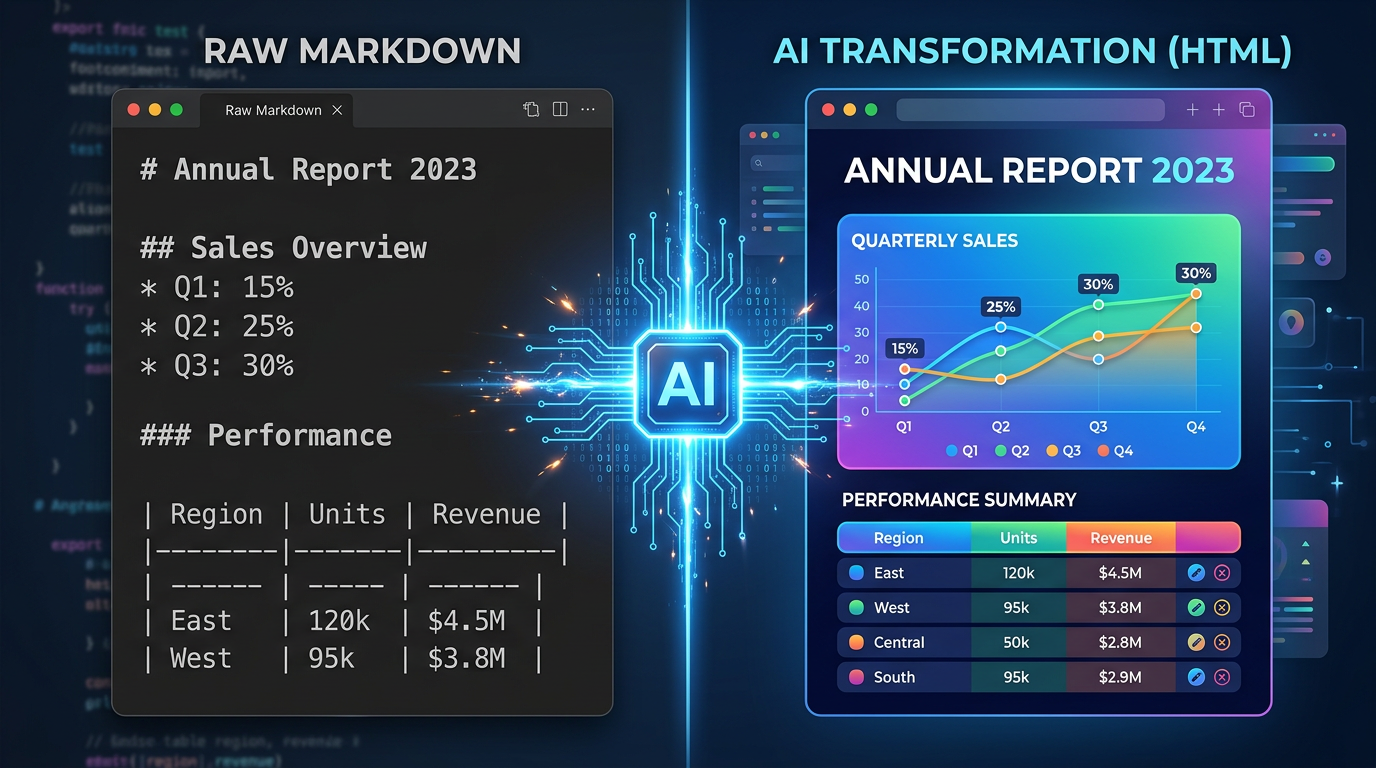
On May 8, 2026, Thariq Shihipar — an engineer on Anthropic's Claude Code team — published an article that stopped the AI developer community mid-scroll. The title: "Using Claude Code: The Unreasonable Effectiveness of HTML."
Within 48 hours, it had racked up over 750,000 views, 14,000 likes, 30,000 bookmarks, and 1,600 quote posts on X. Simon Willison called it thought-provoking. The developer ecosystem lit up with a question nobody had seriously asked before: What if Markdown — the format we have all been using to communicate with AI agents — is actually the wrong format?
The answer, backed by a gallery of 20 production HTML artifacts Thariq published alongside the article, is reshaping how developers think about agent output.
Why Markdown Won the First Round
To understand why this switch matters, you have to understand why Markdown became the default in the first place.
In 2022, when ChatGPT shipped with an 8,192-token context window, every token was precious. For the same content, HTML burns roughly three times more tokens than Markdown — about 8,000 tokens for an HTML document versus 2,800 for its Markdown equivalent. When your entire context budget is 8K tokens, and your output eats into your input, saving 5,000 tokens meant saving paragraphs of context that would otherwise be lost.
Markdown won that fight on cost. It was the rational choice given the constraints of the time.
Simon Willison — one of the most influential voices in the AI developer community — admitted as much last week. He had been writing Markdown for LLMs since the GPT-4 days for exactly that reason. And he was not wrong. Nobody was wrong, given the math at the time.
But the math changed.
Claude Opus 4.7 ships with a 1,000,000-token context window. That is 122 times larger than the 8K window that made Markdown the default. When your budget is a million tokens, the difference between 2,800 and 8,000 is noise. The constraint that created the Markdown default dissolved — but the default itself survived, unquestioned, for nearly four years.
8 Things HTML Can Carry That Markdown Cannot
Thariq article opens with a simple catalog of what you lose when you force agent output into Markdown. The list is worth reading in full, but here are the eight categories:
1. Real tables with alignment and spanning. Markdown tables break on anything beyond a simple grid. HTML tables support column spans, row spans, alignment, and can be styled to highlight the important row at a glance.
2. CSS-styled visual hierarchy. In Markdown, emphasis is limited to bold, italic, and code blocks. HTML adds color, size, spacing, borders, and layout — the visual vocabulary that makes information scannable.
3. Inline SVG diagrams. This is the big one. In Markdown, Claude resorts to ASCII art: pipe characters for bar charts, unicode blocks for color swatches, dashes for arrows. In HTML, it draws real vector graphics — scalable, precise, and actually readable.
4. JavaScript interactivity. Collapsible sections, tabbed code samples, live filters, drag-and-drop. Markdown is a static medium. HTML is a runtime.
5. Embedded images in a single file. Base64-encoded images travel inside the HTML. No broken reference links, no file-not-found conversations.
6. Spatial canvas layouts. Side-by-side comparisons, grid layouts, margin annotations, callout boxes. Markdown flows top-to-bottom. HTML flows wherever you tell it to.
7. Workflow diagrams with clickable nodes. A deploy pipeline drawn as boxes and arrows, where clicking a step reveals what runs, the timing, and the failure path. Markdown gives you a numbered list.
8. Self-contained, shareable artifacts. One .html file. Double-click it. It opens in any browser, with all its diagrams, styles, and interactivity intact. No dependencies, no build step, no configuration surprises.
The common thread: Markdown was built for humans typing prose. HTML was built for rendering rich information. When the output is a plan, a report, a review, or a prototype — not a README — the format that was built for rich information wins.
The ASCII Diagram Tax
One example from Thariq gallery makes the point better than any argument.
Ask Claude Code to analyze a dataset and output the results in Markdown, and it will produce something like this:
Q1 Sales by Region
| Region  | Revenue  |
|---------|----------|
| North   | ████████ | $2.4M
| South   | ██████   | $1.8M
| East    | ████████ | $2.6M
| West    | ████     | $1.2M
This is what Claude does when it is forced through a 1990s README format. It improvises. It fakes a bar chart with unicode block characters. It spends tokens on cosmetic approximation instead of data.
Ask the same question and tell Claude to output HTML, and it draws a real SVG bar chart with proper axes, proportional bars, labels, and a legend. Same data. Same agent. But the second output is something your colleague actually opens, reads, and acts on.
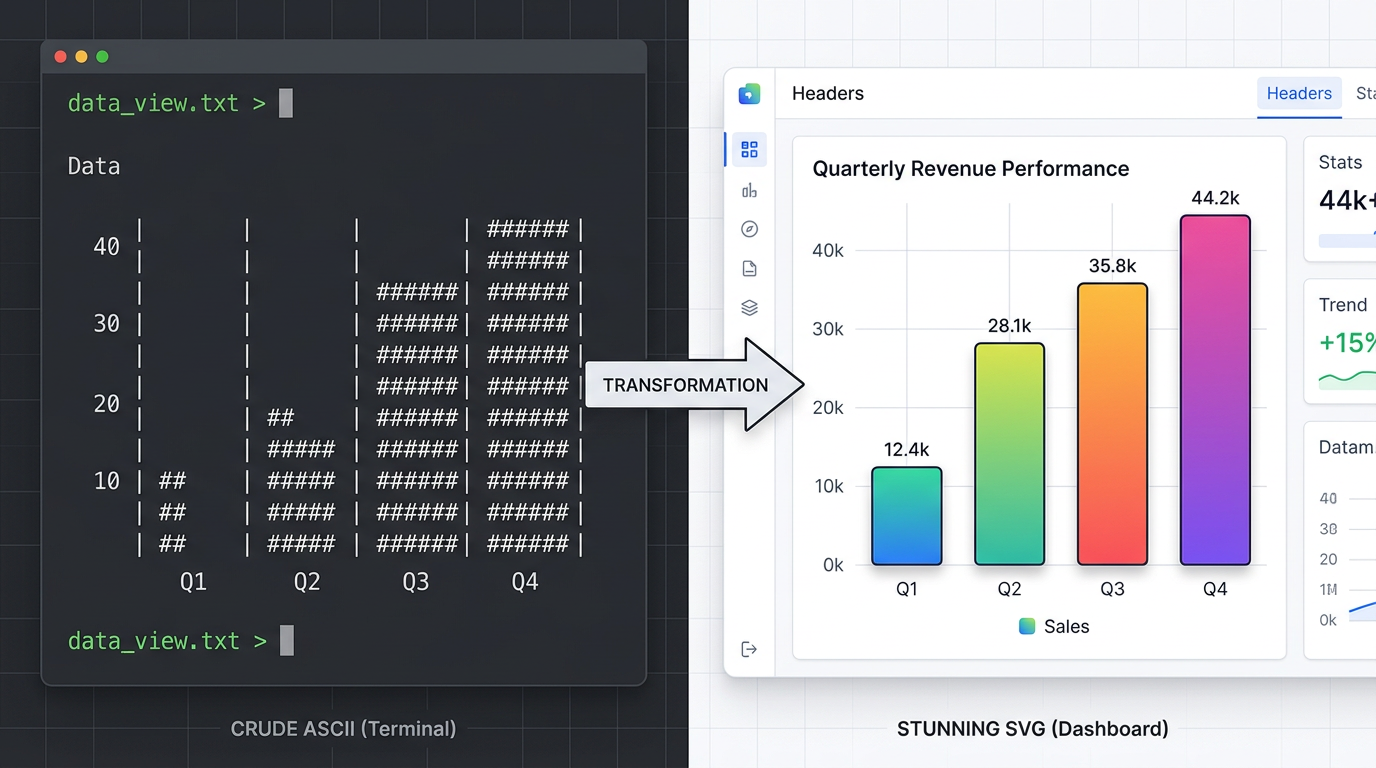
We tested this ourselves: same dataset, same Claude Code session, two different format instructions. The HTML version rendered in a browser with zero edits. The Markdown version took three rounds of clarification — and still landed on unicode block characters approximating bars. When the format constrains the agent, the output quality follows.
Thariq thesis, boiled down: When you give the agent a medium with expressive range, it uses it. When you constrain it to ASCII, it compensates — poorly.
The Token Cost Debate (And Why It No Longer Matters)
The most common objection to HTML agent output is predictable: it costs more tokens.
It does. Thariq is transparent about this: HTML output uses roughly 2 to 4 times the tokens of equivalent Markdown. A 2,800-token Markdown document becomes an 8,000 to 11,000 token HTML document.
But this objection, as Thariq and others have pointed out, rests on an assumption that was true in 2022 and is now obsolete. When your context window is 8,192 tokens, a 5,000-token overhead is devastating. When your context window is 1,000,000 tokens, it is 0.5% of your budget.
Claude Opus 4.7, Gemini 3, GPT-5.5 — the frontier models of mid-2026 all operate in the hundreds-of-thousands to millions of tokens range. The token economy that made Markdown necessary has been replaced by an abundance economy that makes HTML feasible.
More importantly, Thariq argues that token cost is the wrong metric. The right metric is whether the output gets used. A 2,800-token Markdown plan that nobody reads costs everything and delivers nothing. An 8,000-token HTML plan that gets opened, understood, and acted on costs more tokens and delivers value.
5 Production Use Cases Where HTML Beats Markdown
Thariq gallery of 20 HTML artifacts spans nine categories. These five are the ones that generalize beyond Claude Code to any AI agent workflow:
1. Specs and Implementation Plans
The difference between a Markdown spec and an HTML spec is the difference between a wall of text and a document with a timeline, a data-flow diagram, inline mockups, and a risk table with color-coded severity. Your implementer opens the second one. They skim the first.
2. AI Code Review
A diff rendered with margin annotations, severity tags, and jump links is fundamentally easier to scan than scrolling through a terminal. The HTML version also supports before/after side-by-side rendering — a spatial layout that conveys change more efficiently than any sequential format can.
3. Design and Prototypes
HTML is the medium your design system ships in. Tokens become swatches. Components become contact sheets. An animation sandbox with sliders for duration and easing tells you in five seconds what a paragraph of prose never could. Four screens linked together with real click-through behavior is a prototype you can feel, not just read about.
4. Research and Reports
An explainer with collapsible sections, tabbed code samples, and a glossary in the margin reads differently from the same words dumped linearly. A weekly status report with a small chart and a colored timeline turns something people skim into something they actually read. A post-mortem with a minute-by-minute timeline and log excerpts is a document your team references, not ignores.
5. Custom Editing Interfaces
This is the most radical category. Thariq demonstrates throwaway HTML editors — a ticket triage board where you drag 30 tickets across Now, Next, Later, and Cut, and export the result as Markdown; a feature flag editor with dependency warnings and a copy diff button; a prompt tuner with live re-rendering.
These are not products. They are one-off tools generated on demand, used once, and discarded. That category of artifact does not exist in Markdown. It only exists when the agent has access to HTML, CSS, and JavaScript as output primitives.
The Real Reason: I Stopped Reading the Markdown Plans
Buried near the end of the video analysis by DIY Smart Code is the line that explains the entire shift:
I stopped reading the markdown plans and let Claude make every choice.
This is Thariq actual reason for switching — and it is more important than token counts, SVG fidelity, or any feature comparison.
When agent output is a wall of unreadable Markdown, the human falls out of the loop. You do not review the plan. You do not catch the mistake. You do not apply your judgment. You just say it looks good and ship — or worse, you do not even open the file. The agent worked fine. The format made its work invisible. This is the same dynamic behind the capability gaps that limit what AI agents can deliver today: the output is technically correct but practically unusable because the format does not reach the human who needs it.
HTML output reverses this dynamic. When the output is visual, structured, and scannable, the human re-enters the loop. You see the diagram and think that flow is wrong. You open the collapsible section and catch an incorrect assumption. You drag a ticket on the triage board and adjust the priority. The format determines whether the human stays in the decision process or delegates entirely.
This is the argument that should matter most to anyone building AI-assisted workflows. The goal is not to minimize token cost. The goal is to maximize the quality of the human-agent collaboration. And the format that makes collaboration easier is the format that produces better outcomes — regardless of token count.
How to Publish AI-Generated HTML
Once your agent produces a self-contained HTML file — a research report with SVG charts, a code review with annotated diffs, a prototype with clickable screens — you face a second question: where does it live?
A .html file on your local filesystem is only useful to you. The value of agent output multiplies when it has a URL — when you can share it with your team, embed it in a Slack thread, or send it to a stakeholder. An AI agent that can write HTML but cannot publish it is like a writer who can draft but not print. The output exists, but it does not reach anyone.
Here are the three approaches developers use today, from most to least manual:
GitHub Pages
Push to a repo, wait for a CI build, get a URL. Works well for permanent documentation pages and project sites. Overkill for the one-off report your agent generated this morning. Requires a Git commit for every publish — which means the agent needs repo access, and every throwaway artifact creates permanent history.
Manual Cloud Upload (S3, R2)
Upload the HTML file to a bucket, configure public access, manage CORS, deal with cache invalidation. This works, but it is infrastructure work — the kind of thing you wanted the agent to handle so you would not have to. If you are configuring bucket policies to publish an agent report, the automation already broke.
Agent-Native Publishing Platforms
The third category is purpose-built for the workflow Thariq describes: the agent generates the output, and a publishing layer handles everything else without human intervention.
These platforms are designed for programmatic access — no web dashboard, no manual configuration, no CMS login. They accept content via CLI or API, render it, and return a public URL. The agent stays in control of the entire pipeline.
For example, a platform like AnyCap gives the agent a set of capabilities that form a complete publishing pipeline — the same pattern covered in our guide to instant web publishing with AI:
- Cloud storage (Drive) — the agent uploads generated images, CSV exports, and other assets to persistent cloud storage. No broken file paths. No manual upload steps.
- Page deployment — a single command turns an HTML or Markdown file into a live, publicly accessible web page.
anycap page deploy report.html --title "Q2 Analysis"is the entire publishing step. - Multi-format support — the platform renders both Markdown and HTML natively. The agent can start with Markdown for speed and switch to HTML when it needs SVG diagrams, styled tables, or interactive elements — all deployed through the same command.
- Unified CLI — the same tool that publishes the page also handles web search, image generation, and web crawling. The agent does not switch between five services to complete one task. It researches, generates charts, and publishes from a single runtime.
Here is what the complete pipeline looks like in practice:
# 1. Agent researches the topic
anycap search --prompt "Latest Q2 performance data" --json > research.json

# 2. Agent generates a hero chart as SVG
anycap image generate --prompt "Q2 revenue bar chart, clean corporate style" \
  --model nano-banana-2 -o chart.png

# 3. Agent uploads assets to cloud storage
anycap drive upload chart.png

# 4. Agent writes the report as self-contained HTML
# (Claude Code outputs an HTML file with the chart embedded)

# 5. Agent publishes the page — one command, live URL
anycap page deploy q2-report.html \
  --title "Q2 2026 Performance Report" \
  --description "AI-generated quarterly analysis with interactive charts"
No human touched a CMS. No hosting was configured. The agent researched, created visuals, and published — all through a single CLI.
Which Approach Should You Use?
| Approach | Best for | Agent-friendly? | Setup required |
|---|---|---|---|
| GitHub Pages | Permanent docs, project sites | Partial (needs repo access) | Repo + CI config |
| Manual S3/R2 | Teams with existing infra | No (manual per file) | Bucket + IAM + CORS |
| Agent-native platform | Agent-generated reports, prototypes, one-off pages | Yes (CLI/API native) | Install CLI, one auth step |
The right choice depends on your workflow. If your agent outputs 10 reports a week that need to be shared with the team, an agent-native publishing layer pays for itself immediately. If you publish one page a month, GitHub Pages is fine.
The format shift — Markdown to HTML — and the distribution shift — local file to live URL — are two sides of the same coin. One makes the output worth reading. The other makes it worth sharing.
When to Use HTML vs Markdown for Agent Output
The switch to HTML is not a dogmatic one. Some outputs are better as Markdown. The decision framework is straightforward:
| Use Markdown when... | Use HTML when... |
|---|---|
| The output is a configuration file (CLAUDE.md, SKILL.md) | The output is meant to be read by a human |
| The output feeds into another tool that expects Markdown | The output contains data that benefits from visual structure |
| The output is a simple list or paragraph | The output includes comparisons, diagrams, or multi-part layouts |
| The output will be version-controlled and diffed | The output will be shared, presented, or referenced |
| You are operating in a sub-32K token context | You are on a model with 200K+ context (you probably are) |
The rule of thumb Thariq implicitly proposes: if you expect a human to read it, consider HTML. If it is purely machine-to-machine, Markdown is fine.
The Bottom Line
Markdown became the default format for AI agent output not because it was the best format, but because it was the cheapest format in an era of severe token constraints. That era is over.
The shift Thariq Shihipar is advocating — and demonstrating with 20 production artifacts — is not really about HTML versus Markdown. It is about whether we treat AI agent output as something to be parsed by machines or something to be consumed by humans. For four years, we optimized for the former because the economics forced us to. The economics no longer force us to.
The agents are getting better. The context windows are getting larger. The outputs are getting more complex. It is time for the format to catch up.
Written by the AnyCap team. We analyze the tools, formats, and workflows that shape how developers build with AI agents.
Further reading: