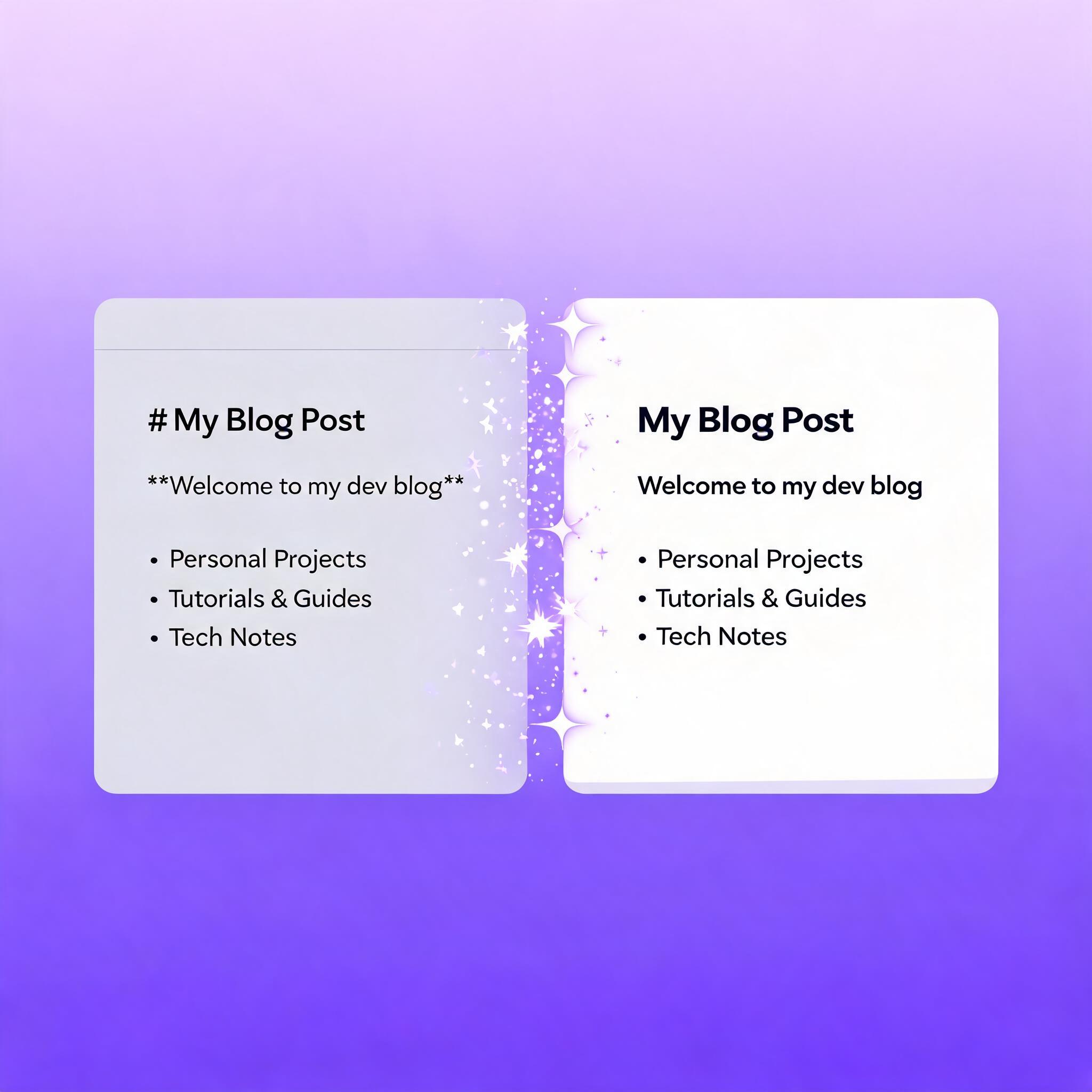
You just wrote a report, built a dashboard, or generated a meme. Now you need it live on the web — not in an hour, not after wrestling with a CMS, but right now.
Instant web publishing with AI makes this possible. Instead of logging into WordPress, configuring hosting, or fighting with DNS settings, you tell an AI agent what you want to publish and it deploys a live page in seconds.
This guide covers how AI-powered publishing works, what tools exist, and how to publish a web page from a single command — no frontend skills required.
What Is Instant Web Publishing with AI?
Instant web publishing is the ability to turn content — a markdown file, a report, an image, or a dataset — into a publicly accessible web page through an AI agent, without human intervention in the deployment process.
The key difference from traditional website builders: you don't click through a UI to publish. You give the instruction to an AI agent, and the agent handles hosting, URL generation, and page rendering automatically.
Traditional vs. AI-Powered Publishing
| Step | Traditional | AI-Powered |
|---|---|---|
| Write content | Manual | AI-assisted or manual |
| Choose platform | Research, sign up | Agent picks optimal output |
| Configure hosting | DNS, server setup | Automatic |
| Format for web | HTML/CSS coding | Automatic from markdown |
| Deploy | Manual upload or push | One command |
| Time to live | Hours to days | Seconds |
How AI Agents Publish Web Pages
An AI agent publishing a web page follows a simple pipeline:
- Content preparation: The agent writes or receives the content (markdown, HTML, or plain text)
- Asset handling: Images and media are uploaded to cloud storage and linked automatically
- Page rendering: The content is rendered into a clean, responsive web page
- URL assignment: A unique public URL is generated
- Delivery: The page is live and shareable immediately
The entire process happens programmatically — no FTP clients, no hosting dashboards, no manual steps.
Publishing a Web Page with AnyCap
AnyCap gives AI agents real-world capabilities. One of those capabilities is instant web publishing through anycap page deploy.
Here's how it works in practice:
# Write your content as a markdown file
echo "# Hello World" > my-page.md

# Deploy it as a live web page with one command
anycap page deploy my-page.md --title "My First AI-Published Page"
That's it. No hosting provider. No domain configuration. No build step. The page is live at a shareable URL the moment the command completes.
What You Can Publish
AnyCap Page handles content types that cover most publishing needs:
- Markdown documents — reports, blog posts, documentation, guides
- HTML pages — custom layouts, dashboards, interactive content
- Images and galleries — visual portfolios, meme collections, product shots
- Data tables — CSV-to-web tables, structured data displays
Real Example: Publishing a Research Report
Here's a complete workflow an AI agent can execute:
# 1. Search for information
anycap search --prompt "Latest developments in quantum computing" > research.md

# 2. Deploy as a published page
anycap page deploy research.md \
  --title "Quantum Computing: State of the Art 2026" \
  --description "An AI-researched report on quantum computing advances"

# 3. Share the URL with your team
# Page is live at: https://page.anycap.ai/abc123
The entire workflow — research, writing, and publishing — happens in under 30 seconds, with no human touching a CMS.
AI Publishing vs. Website Builders
Why use AI-powered publishing instead of Wix, Squarespace, or Framer?
| Feature | Website Builders | AI-Powered Publishing |
|---|---|---|
| Interface | Drag-and-drop UI | CLI or agent instruction |
| Speed | Minutes to hours | Seconds |
| Automation | Manual per page | Fully programmable |
| Agent-driven | No | Yes — agents can publish autonomously |
| Use case | Building full websites | Deploying single pages, reports, and content on demand |
| Learning curve | Platform-specific UI | Single CLI command |
Website builders are for designing full websites with custom branding. AI-powered publishing is for getting content onto the web instantly — reports, documentation, one-off pages, and programmatic content.
When to Use AI-Powered Publishing
AI-powered publishing excels in specific scenarios:
1. Agent-Generated Content
When an AI agent produces a report, analysis, or summary, publishing it directly means the output goes from agent to live page without a human copy-pasting into a CMS.
2. Programmatic Content at Scale
Need 100 landing pages for 100 cities? A script + publishing API generates and deploys all of them automatically, which is the foundation of programmatic SEO.
3. Rapid Prototyping
Share a design mockup, a data visualization, or a proposal instantly. No need to set up hosting for a throwaway page.
4. Internal Documentation
Publish meeting notes, runbooks, or project updates as private pages accessible only to your team through a shareable link.
5. Content Delivery
Deliver finished work to clients or stakeholders as a live page rather than attaching files to emails.
Making It Part of an Automated Workflow
The real power of AI-powered publishing is automation. Here's an example of a fully automated content pipeline using AnyCap:
# Step 1: Agent researches a topic
anycap search --prompt "Write a market analysis of AI video generation" > analysis.md

# Step 2: Agent generates a hero image
anycap image generate "AI video generation abstract visualization, professional" \
  --output hero.png

# Step 3: Agent uploads the image to cloud storage
anycap drive upload hero.png

# Step 4: Agent embeds the image in the page and deploys
anycap page deploy analysis.md \
  --title "AI Video Generation Market Analysis 2026" \
  --assets hero.png
No human touched any of these steps. The agent researched, wrote, created visuals, and published — all from a single goal.
Best Practices for AI-Powered Publishing
Use markdown as your source format. It's clean, portable, and renders well as HTML. AnyCap Page natively supports GitHub-flavored markdown.
Include a title and description. Search engines and social previews use these. Always set them explicitly rather than relying on auto-detection.
Handle images before publishing. Upload images to cloud storage first, then reference them in your markdown. This keeps your published pages self-contained and fast-loading.
Version your content. Keep the source markdown files. The published page is the output; the markdown is the source of truth.
Use for single-page content. AI-powered publishing is ideal for reports, articles, documentation pages, and landing pages. For multi-page websites with navigation, a website builder is the better tool.
The Future: Agent-Native Publishing
The most exciting shift isn't just that humans can publish faster — it's that AI agents can publish as part of their workflow.
Imagine an agent that:
- Monitors a data feed for changes
- Generates a summary report when thresholds are crossed
- Publishes the report as a live page
- Shares the URL in Slack
This is not a future scenario. It's possible today. The agent doesn't need a human to format the report, log into a CMS, or configure hosting. It just publishes.
As AI agents become more autonomous, the ability to publish programmatically becomes a core capability — not a nice-to-have.