Guide · By AnyCap Team
X (Twitter) data for AI agents
AnyCap lets an AI agent read X profiles, posts, account feeds, and search results as structured JSON through one CLI command.
A lot of what agents are asked to track happens on X: product launches, announcements, and how people react to them. Social lookup gives the agent the posts and metrics as fields, so it can summarize a topic or compare accounts and link every claim to a source post.
Set up AnyCap
1. Install the AnyCap skill
npx -y skills add anycap-ai/anycap -a claude-code -y2. Install the CLI
curl -fsSL https://anycap.ai/install.sh | sh3. Log in once
anycap login
Read an account profile
Profile lookup returns the display name, bio, verification flag, and follower, following, and post counts. It also returns the account's platform ID, which you need to list its posts.
Look up a profile
anycap social profile --platform x --username nasaList an account's recent posts
X feeds are addressed by platform ID, not username. Read the ID from the profile result and pass it with --user-id.
Profile, then feed
USER_ID=$(anycap social profile --platform x --username nasa | jq -r '.data.profile.platform_id')
anycap social list --platform x --user-id "$USER_ID"What this looks like in Codex
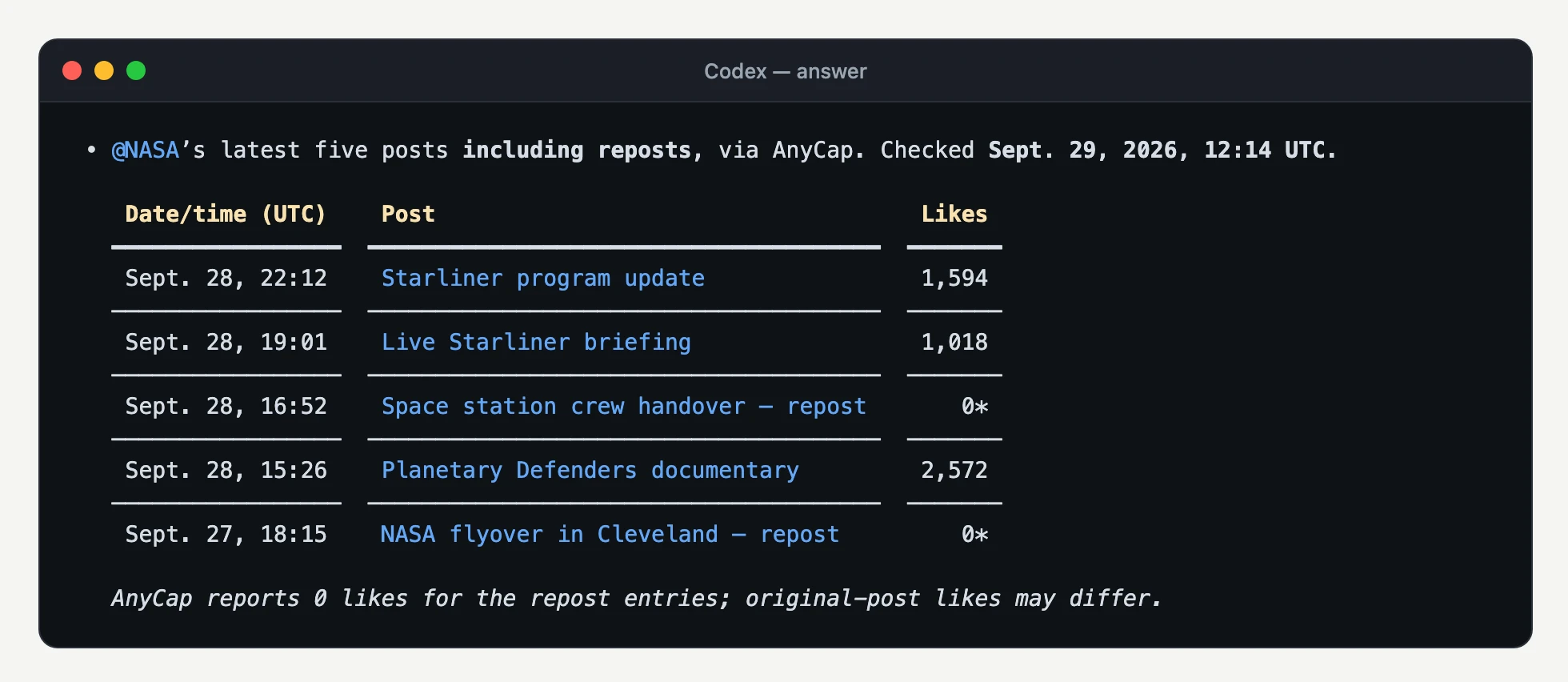
We gave Codex CLI one English prompt and let it choose the commands. It read the AnyCap skill, looked up the profile, and listed the feed by platform ID, the same two steps as above.
Prompt used
Use AnyCap to find NASA's latest posts on X. Look up the @NASA profile, then list the 5 most recent posts with their date, likes, and link. Keep the answer short.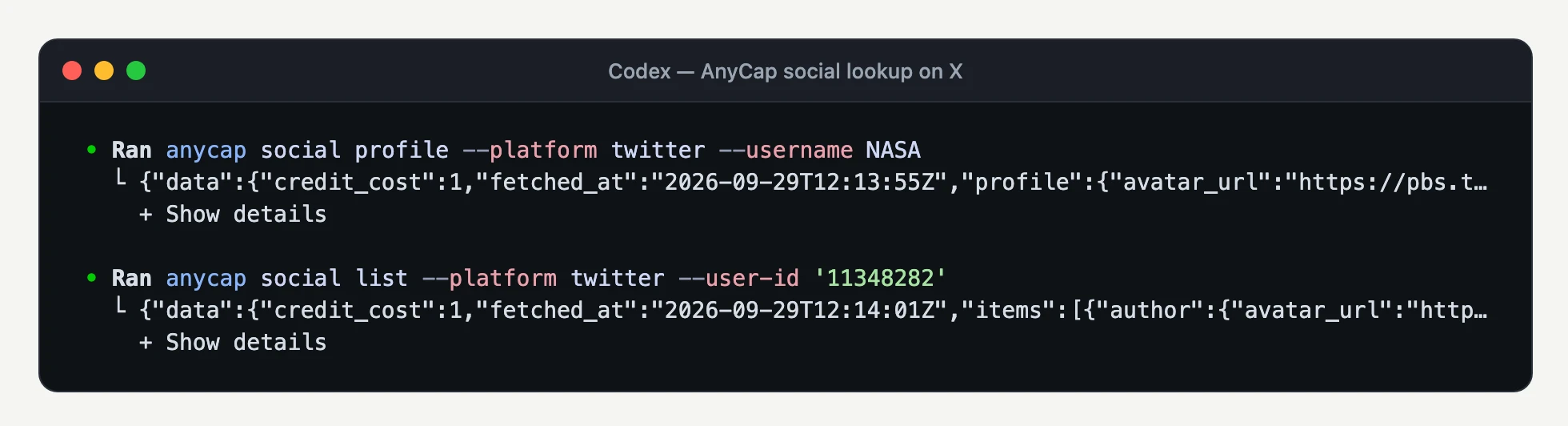
Search X posts
Search takes a keyword or an X search expression and returns one batch of Top results.
Search by keyword
anycap social search --platform x --query 'artemis'Search one account's posts
anycap social search --platform x --query 'from:nasa'Keep text, time, and link
anycap social search --platform x --query 'from:nasa' | jq '.data.items | map({published_at, text, url})'Fetch a single post by URL
Pass an HTTPS status permalink from x.com or twitter.com to read the post's text, author, media, and metrics.
Read a post
anycap social get --url "https://x.com/<username>/status/<post-id>"Ask the agent in plain language
Topic summary
Search X for posts about our launch and summarize the main reactions with links.Account comparison
Compare the follower counts and last batch of posts for @nasa and @esa on X.Read the results correctly
- IDs are strings
- X IDs are too large for many number types. Keep platform_id and post IDs as strings, and pass them through jq -r rather than doing arithmetic on them.
- Text-only posts
- A post without images or video has media_type "text" and an empty media array.
- Reposts and quotes
- When available, repost and quote counts appear in metrics.reposts and metrics.quotes next to likes, comments, and views.
- Null is not zero
- A metric the platform did not return is null. Report it as unavailable instead of as zero engagement.
- Platform name
- You can pass --platform x or --platform twitter. Results always use twitter, and returned post URLs use x.com.
What social lookup does not do
- Lookup is read-only. It does not post, reply, like, repost, follow, or send messages.
- Search uses X's Top results. There is no Latest mode or alternate search mode.
- List and search return one batch each. There is no cursor, requested count, or full-history export.
- A list needs the account's platform ID. It does not resolve a username on its own.
FAQ
Can an AI agent read X without the X API?
Yes. AnyCap social lookup reads X profile, post, feed, and search data through one CLI and one AnyCap login, so the agent does not need its own X developer app, API tier, or bearer token.
Why does social list need --user-id instead of a username?
X feeds are addressed by the account's numeric platform ID. Look up the profile first, read data.profile.platform_id, and pass it as a string with --user-id. Profile and list are separate billed calls.
What can I put in a search query?
A keyword or an X search expression, such as from:nasa to read one account's posts. Results come from X's Top search, in one batch.
Does social get accept twitter.com links?
Yes. It accepts HTTPS status permalinks on x.com or twitter.com. The returned post URL uses x.com.
Continue from here
Social media lookup capability →
See all four social operations across Instagram and X.
Instagram data for AI agents →
Profiles, posts, reels, and account feeds on Instagram.
Grounded web search →
Combine X posts with cited web sources for a fuller answer.