Learn
Last updated April 9, 2026
What is an AI influencer?
It is more than an avatar
An AI influencer is not just a pretty generated face. It is a repeatable creator system with still-image identity, motion options, channel-ready outputs, and a review loop. That system can support one creator or several influencer personas, but each role still needs its own stable identity. That is the difference between a gimmick and a workflow an agent can actually support.
Answer-first summary
The useful definition of an AI influencer has four layers: persona, motion, distribution, and QA. AnyCap is most relevant when you want the agent to work across those layers for one creator or a small roster instead of stopping at one generated image.
Role directions
One page should show more than one influencer look
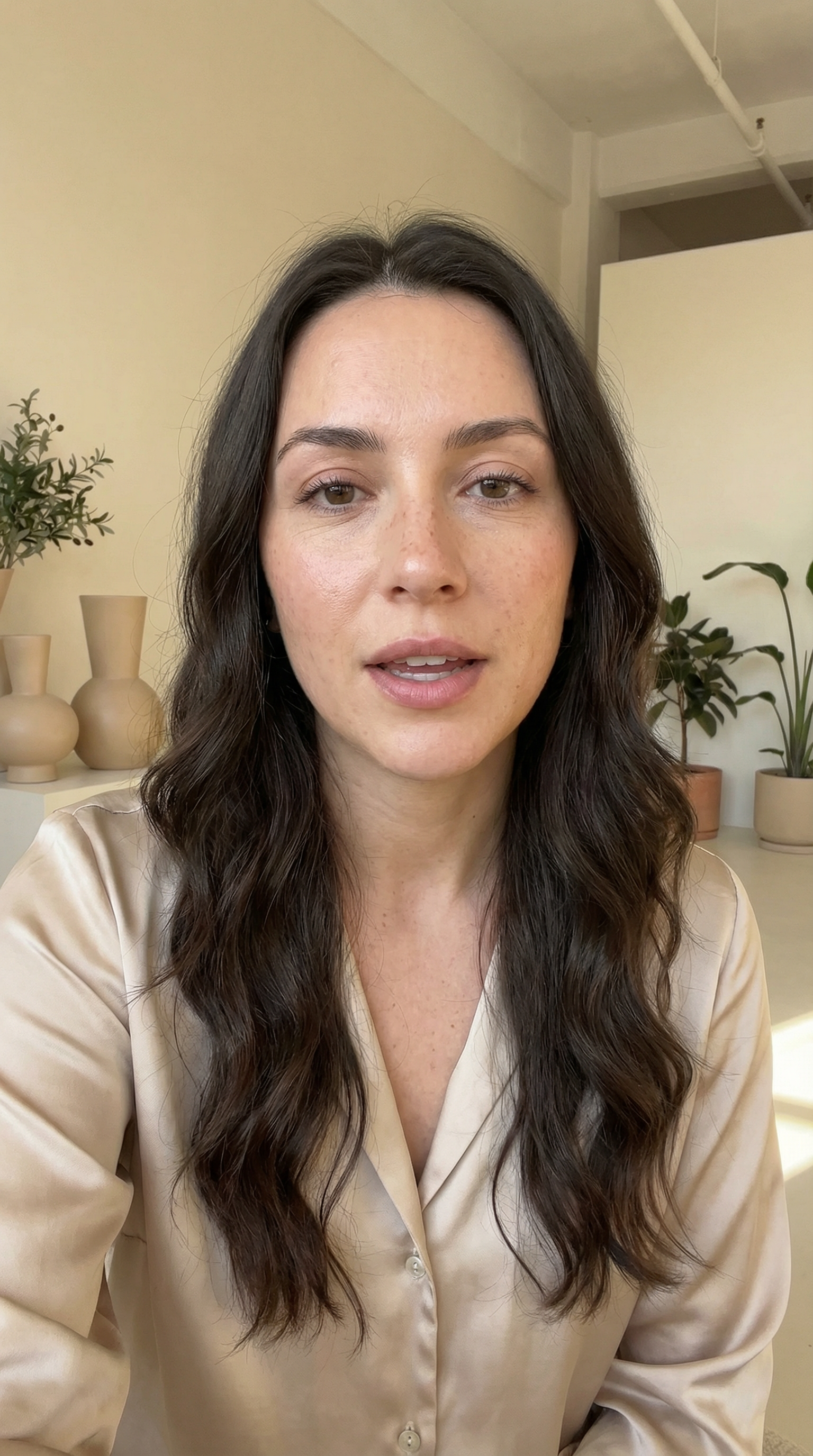
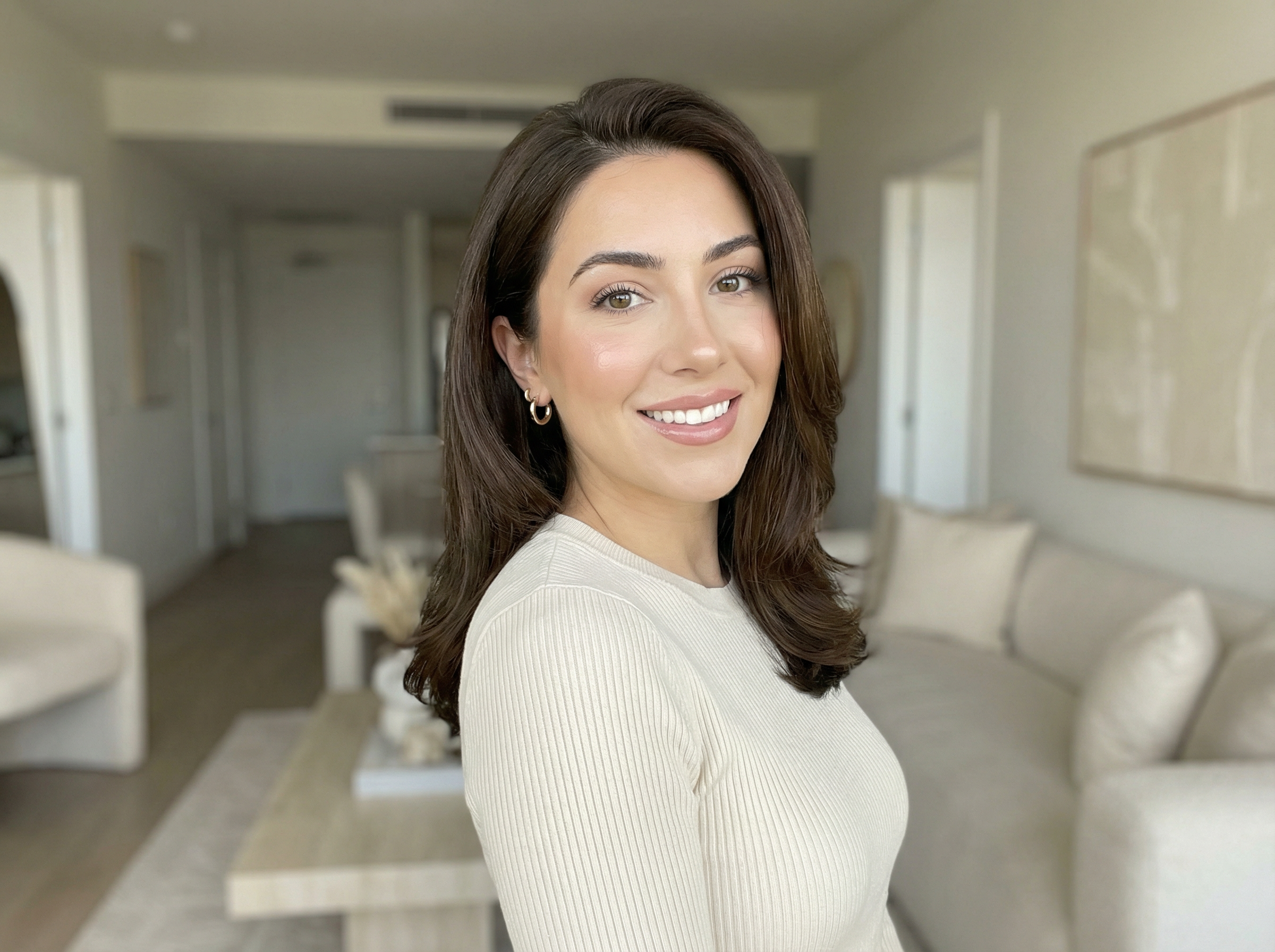
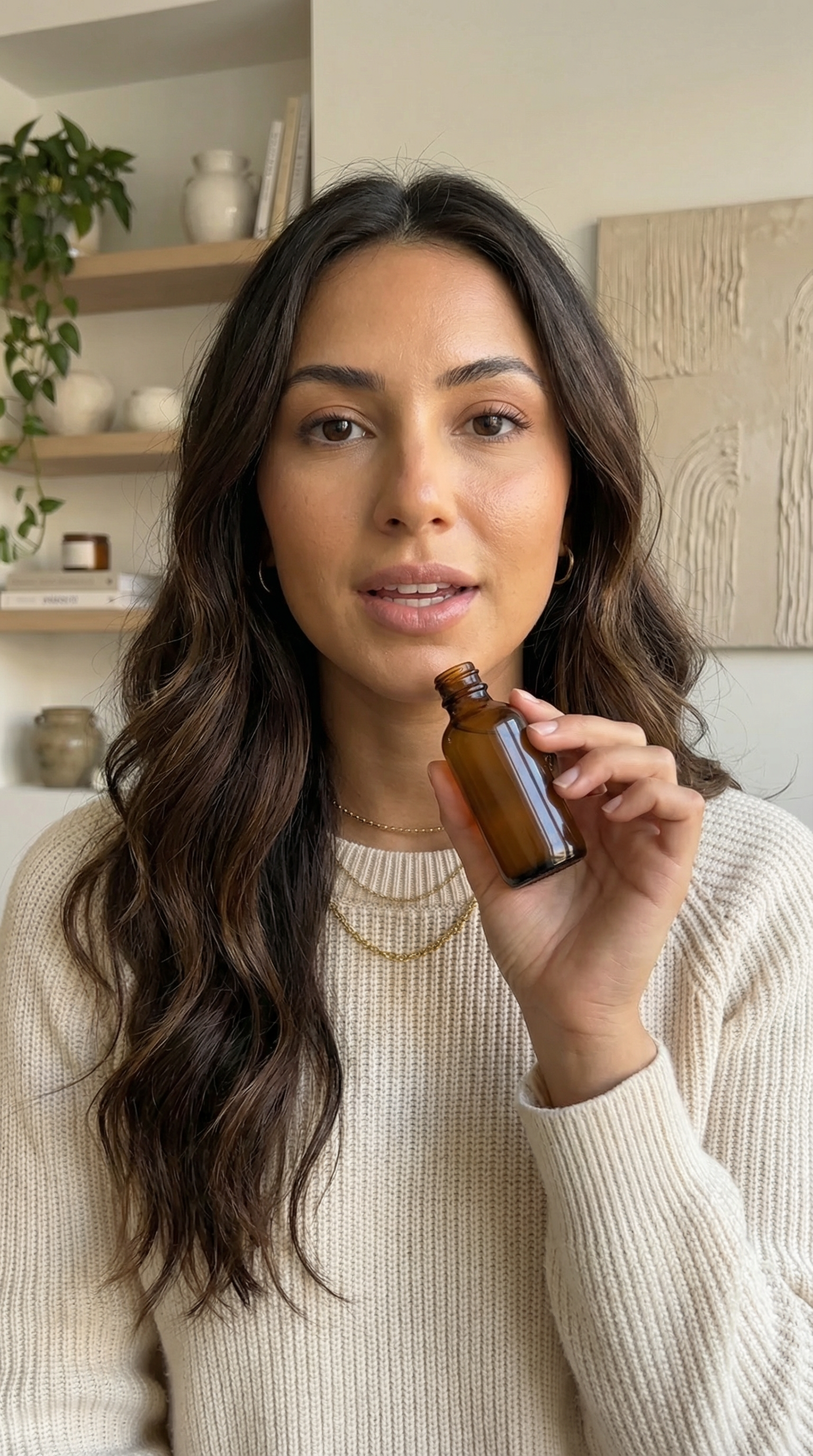
An AI influencer workflow does not stop at one face. You can generate several influencer-style role directions in parallel, compare which one feels most usable, then promote the winner into a cleaner hero still. A practical pattern is `nano-banana-2` for faster role exploration and `nano-banana-pro` for the selected refinement pass.
Influencer role example
Talk-to-camera host
Suggested model path: Nano Banana 2 -> Nano Banana Pro
A warm editorial creator direction for explainers, daily updates, and direct-to-camera social content.
Influencer role example
Lifestyle creator
Suggested model path: Nano Banana 2 -> Nano Banana Pro
A lighter lifestyle persona for routine content, apartment vlogs, and general creator-brand positioning.
Influencer role example
Product reviewer
Suggested model path: Nano Banana 2 -> Nano Banana Pro
A creator-commerce direction for product demos, skincare reviews, and sponsor-style recommendation content.
Quick answer
The creator system matters more than the face
A face generator can make a portrait. An AI influencer has to survive more than that. One workflow can support a single virtual creator or a small roster of influencer roles, but each identity has to stay coherent across several frames. The outputs have to fit channels that humans actually use. The review loop has to catch drift before the work ships. Those are workflow problems, not only image problems.
- An AI influencer is a workflow system, not just a face generator.
- The four practical layers are persona stills, motion, distribution, and QA.
- You can generate several influencer-style character stills first, but each role still needs its own identity pack and review loop.
- AnyCap is most relevant once the question shifts from `can I generate one image?` to `how do I keep the creator reusable across outputs?`
Definition layers
Four layers define whether the creator is usable
Persona layer
This is the still-image identity system: face, niche, wardrobe range, and brand tone. It can cover one creator or a small roster of influencer roles, but each persona still needs a stable spec.
Motion layer
This is where stills become clips. It can be subtle social motion, creator-to-camera delivery, or campaign-style video branches.
Distribution layer
This is where the creator stops being a concept and starts fitting a channel: profile image, reel cover, short-form clip, landing-page asset, or promo gallery.
QA layer
This is where teams catch drift, bad text, weak crops, and awkward scene details before the output reaches humans.
Comparison
AI influencer vs adjacent concepts
| Concept | What it means | Strongest question |
|---|---|---|
| AI influencer | A reusable creator system with identity, content variants, and channel-ready outputs. | How do I keep this creator usable across stills, clips, and reviews? |
| Avatar generator | A tool that creates one avatar or profile-style representation. | How do I make one face or icon quickly? |
| Faceless content workflow | A content system where the creator identity is intentionally not front-and-center. | How do I publish repeatable short-form content without an on-screen person? |
| AI UGC actor | A generated spokesperson or ad-style performer, often closer to campaign production than influencer identity-building. | How do I make a believable promo actor for one campaign or ad format? |
Workflow
The shortest path from concept to workflow
Step 1
Define the creator identity
Start with the niche, audience, and still-image tone before you decide whether this creator even needs video.
Step 2
Generate a small still pack
Create a few realistic images that test whether the identity can survive different scenes or crops. If you want multiple influencer roles such as beauty, fashion, or product-review personas, make a separate pack for each one instead of blending them together.
Step 3
Choose where the creator actually lives
Decide whether the output is a profile, a campaign image, a short-form clip, or a repeatable channel asset.
Step 4
Add motion only if the stills already work
If the creator identity is weak, motion usually makes the problem more obvious rather than more believable.
Step 5
Keep QA inside the system
A creator becomes operational only when there is a clear review loop before human delivery.
Model choice
Use Nano Banana 2 or Pro by role
Best for faster role exploration
Nano Banana 2
Use this when you want to generate several different influencer-style role images quickly and compare which persona direction deserves more work.
Best for cleaner hero stills
Nano Banana Pro
Use this when one role already works and you want a stronger realistic hero portrait or a tighter image-to-image refinement pass for that influencer identity.
First-hand validation
What we checked before defining the term this way
Capability surface confirmed
AnyCap status was rechecked on April 9, 2026 before this explainer was written. Image generation, video generation, image reading, video reading, Drive, and Page were available.
Definition kept operational
This page does not define AI influencers as a social trend only. It defines them by the workflow layers needed to keep one creator or a small roster usable.
Product fit kept clear
The page explains where AnyCap fits in the stack instead of implying that AnyCap is a dedicated social scheduling or voice-cloning platform.
Cluster support confirmed
The explainer was written to support the still, video, and low-cost workflow pages without duplicating their command-level details.
Command examples
Build a small influencer roster in commands
Generate several influencer-style roles fast
anycap image generate \
  --model nano-banana-2 \
  --prompt "fictional beauty influencer, realistic creator portrait, premium skincare niche, soft daylight, natural skin texture, brand-safe styling, no readable text, no watermark" \
  --param aspect_ratio=4:3 \
  --param resolution=2k \
  -o influencer-beauty-role.png

anycap image generate \
  --model nano-banana-2 \
  --prompt "fictional fashion influencer, realistic street-style creator portrait, editorial pose, clean urban backdrop, natural facial detail, no readable text, no watermark" \
  --param aspect_ratio=4:3 \
  --param resolution=2k \
  -o influencer-fashion-role.png

anycap image generate \
  --model nano-banana-2 \
  --prompt "fictional product-review influencer, realistic creator portrait, direct-to-camera confidence, home-studio lighting, ecommerce-friendly styling, no readable text, no watermark" \
  --param aspect_ratio=4:3 \
  --param resolution=2k \
  -o influencer-review-role.png
Polish the winning role with Nano Banana Pro
anycap image generate \
  --model nano-banana-pro \
  --mode image-to-image \
  --prompt "preserve the same fictional beauty influencer identity, make the portrait more realistic and polished, stronger hero framing, cleaner lighting, premium campaign-ready finish, no readable text, no watermark" \
  --param images=./influencer-beauty-role.png \
  --param aspect_ratio=4:3 \
  --param resolution=2k \
  -o influencer-beauty-role-pro.png
FAQ
Common questions about the definition
Is an AI influencer the same as an avatar generator?
No. An avatar generator can make one face or one profile image. An AI influencer is broader: it is the repeatable creator system around that identity.
Does an AI influencer have to be a talking video character?
Not always. Some AI influencers live mostly as still-image creators, product-campaign personas, or short-form visual brands. Motion is only one layer.
What makes an AI influencer operational instead of just interesting?
The identity has to hold across scenes, the outputs need to fit real channels, and the team needs a QA and delivery path instead of a pile of one-off assets.
Can one workflow generate multiple AI influencer characters?
Yes. One workflow can support a small roster of influencer personas such as a beauty creator, product reviewer, or lifestyle host. The important part is treating each role as its own stable creator identity with its own still pack, niche, and QA pass.
Where does AnyCap fit in that stack?
AnyCap fits around the generation, QA, and delivery layers. The agent can create the persona stills, animate them, inspect the output, and hand the result to humans through the same workflow.
Next step
Move from definition into an actual workflow
How to Make AI Influencers
Go to the anchor page when you want the full workflow instead of the concept definition.
Create AI Influencer for Free
Use this when the next question is how to test the concept cheaply before committing to a bigger stack.
How to Make AI Influencer Videos
Go here when the concept already makes sense and the next step is image-to-video motion.
Image Generation
Browse the capability surface that powers the persona layer described on this page.
Video Generation
Browse the capability surface that powers the motion layer described on this page.
Install AnyCap
Use this when you want to move from the definition into a working CLI workflow.