Learn
Last updated June 22, 2026
Create AI influencer for free
by validating the still first
If you want to create an AI influencer for free, the practical move is not to buy a full influencer stack first. It is to use a small realistic still-image loop to prove the persona, then spend more only if the identity actually holds up. That is the cheapest useful workflow AnyCap image generation can support.
Answer-first summary
The right reading of `free` is `do not pay for more complexity before the still works.` Start with a few realistic portraits. Keep one winner. Refine only that winner. Then decide whether it deserves video, publishing, or more iteration. This approach is more useful than pretending the entire creator pipeline should be free forever.
Prototype budget
Keep the first loop small
Check the current credit model before you scale beyond still-image validation. The useful first spend is the smallest loop that proves whether the persona is worth continuing.
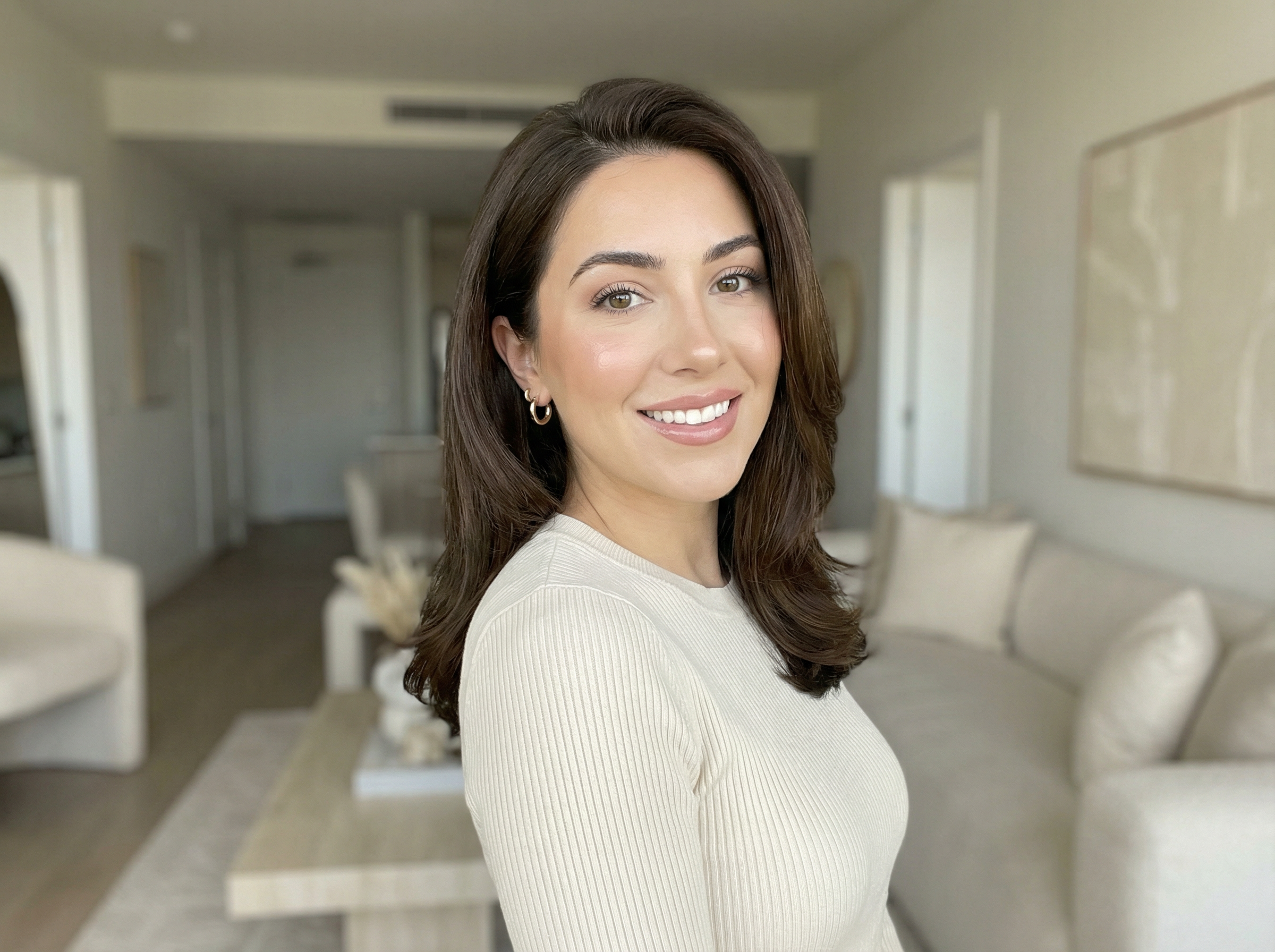
This image exists to show the page's real recommendation: start with one realistic still that could plausibly work as a profile or promo image before you pay for motion, narration, or a larger creator stack.
Generated proof
One action shot is a better cheap test
A second image where the same person has to hold a product tells you more than another plain portrait. It tests whether the identity survives object interaction before you spend on more variants, more scenes, or motion.
Validation shot
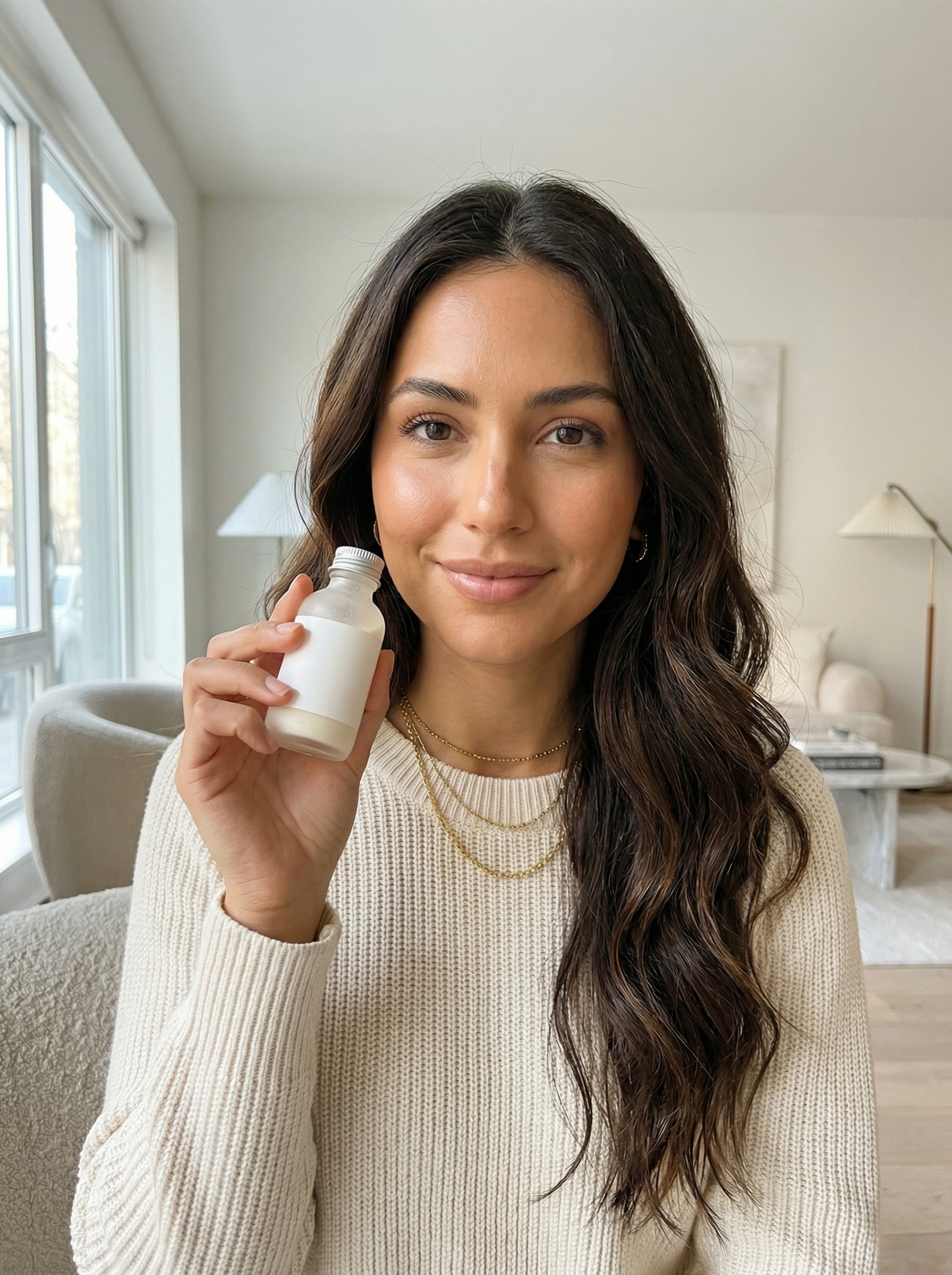
Low-cost validation prompt
preserve the same fictional beauty influencer identity from the reference hero shot, then create one believable UGC product-hold variant without losing the same warm complexion, espresso-brown waves, soft glam makeup, gold jewelry, or cream knit styling. Keep the product unlabeled, the hand natural, and the lighting photoreal.
Why this proof matters
- The same face, hair, sweater, and jewelry still read as one creator instead of a fresh random render.
- Adding one bottle to the scene pressure-tests the workflow at a much cheaper stage than video or a full brand shoot.
- If this shot breaks, you stop early instead of buying more complexity.
This is the kind of follow-up still worth paying for first. It is simple, commercial enough to be useful, and strong enough to reveal whether the persona can survive beyond a profile photo.
Quick answer
Free should mean cheap validation
A realistic AI influencer still can tell you almost everything you need to know about whether the direction is worth continuing. The face will either feel usable or not. The niche will either read clearly or not. The brand tone will either fit or not. Those are cheap decisions at the still stage and expensive ones after you add video, voice, or distribution.
- The low-cost move is not to chase a full influencer platform immediately. It is to prove the persona first.
- Still-image validation is the cheapest useful step because it reveals whether the face, niche, and framing are worth carrying into video.
- Nano Banana 2 is the best first pass when you need several realistic options quickly. Nano Banana Pro is the cleanup step when one option already looks promising.
- Keep the first still-validation loop small enough that a failed persona does not pull you into a larger creator stack.
Workflow
Five steps to keep the test cheap and useful
Step 1
Define one persona brief, not ten aesthetics
Pick the niche, age range, creator tone, and scene type first. The smaller the brief, the less money you waste on unfocused generation.
Step 2
Generate two to four realistic stills
Use a small Nano Banana 2 batch to compare realistic directions instead of trying to perfect the first result.
Step 3
Choose one winner and stop branching
The low-cost discipline is to kill weak directions early. Keep one still that already looks believable and discard the rest.
Step 4
Refine only the winner
If the face or framing is close, run a Nano Banana Pro refinement pass rather than paying for more broad exploration.
Step 5
Use QA before motion or publishing
Check the final still for readable text, awkward product details, or off-brand composition before you spend more on animation or sharing.
Cost discipline
Spend more only
when the still survives QA
- Treat `free` like a prototype budget, not a promise that the entire creator pipeline will cost nothing.
- Limit the first pass to still images. Video becomes the second purchase, not the first.
- Keep the persona brief narrow enough that one winning still can actually represent the direction.
- Use image reading as a filter so you do not keep spending on a still that already has obvious issues.
First-hand validation
What we checked before recommending this route
Capability surface confirmed
AnyCap status was rechecked on April 9, 2026 before building this page. Image generation, image editing, image reading, video generation, Drive, and Page were available.
Schema checked
Nano Banana 2 and Nano Banana Pro were checked against the live schema so the command examples use the current text-to-image and image-to-image parameter shape.
Workflow claim kept narrow
This page does not treat `free` as a universal pricing claim. It treats free as the strategy of validating the persona before you buy more complexity.
Realistic image direction selected
The hero asset direction for this page was intentionally constrained to realistic Nano Banana output instead of stylized or fantasy avatar aesthetics.
Model choice
Pick the cheapest model that still answers the question
Best first pass
Nano Banana 2
Use this for fast realistic exploration when you want to compare a few creator directions before you spend more effort on one winner.
Best refinement pass
Nano Banana Pro
Use this when a realistic still is already close and you want better identity hold, stronger scene polish, or an image-to-image cleanup loop.
Know the budget surface
Pricing
Check the credit model before you scale beyond prototype stills into motion, delivery, or repeated content production.
Comparison
Full platform first vs low-cost validation first
| Lens | Full platform first | Low-cost validation first |
|---|---|---|
| First spend | You pay for a full avatar or influencer stack immediately. | You spend the first budget on a few realistic stills and validate whether the persona deserves more work. |
| Failure cost | You discover the identity problem only after you already tried voice, lip-sync, or publishing. | You kill weak persona directions at the still stage when they are cheapest to discard. |
| Model choice | The tool hides the trade-off between fast iteration and tighter identity preservation. | You can use Nano Banana 2 for exploration and Nano Banana Pro for the cleanup pass that actually matters. |
| Next move | The workflow tries to keep you inside one destination whether the persona works or not. | If the still fails, you stop. If it works, you branch naturally into video or delivery. |
Command examples
The low-cost loop in commands
Generate the first low-cost stills
anycap image generate \
  --model nano-banana-2 \
  --prompt "fictional virtual creator, realistic lifestyle influencer portrait, soft indoor lighting, natural skin texture, believable casual styling, creator-home setting, no readable text, no watermark" \
  --param aspect_ratio=4:3 \
  --param resolution=2k \
  -o influencer-free-first-pass.png
Refine the winning direction
anycap image generate \
  --model nano-banana-pro \
  --mode image-to-image \
  --prompt "preserve the same fictional creator identity, make the portrait more realistic and polished, cleaner lighting, stronger profile-photo framing, no readable text, no watermark" \
  --param images=./influencer-free-first-pass.png \
  --param aspect_ratio=4:3 \
  --param resolution=2k \
  -o influencer-free-refined.png
QA before you spend more
anycap actions image-read \
  --file ./influencer-free-refined.png \
  --instruction "Describe the creator, say whether the image feels realistic enough for a profile or promo use, and mention any visible text or watermark."
FAQ
Common questions about the `free` query
Does free mean I can build an unlimited AI influencer account with no spend at all?
No. The useful reading of `free` here is that you can validate the persona direction without committing to a dedicated influencer platform first. Start with a small still-image loop, then decide whether the winner deserves more generation, motion, or distribution.
Why start with stills instead of an AI influencer video?
Because the cheapest failure point is the identity itself. If the face, styling, and niche do not work in a still image, video usually magnifies the problem instead of fixing it.
Which AnyCap image model is the best fit for this page?
Use Nano Banana 2 for fast realistic exploration when you want several directions quickly. Use Nano Banana Pro when you need the winning still to hold together more tightly or when you want to refine an existing draft through image-to-image.
Can I use my own source photo instead of starting from zero?
Yes. That is often the cheapest route. If you already have a usable draft or reference image, switch into a Nano Banana Pro image-to-image pass and preserve the identity while improving the scene, lighting, and framing.
How should I budget the first test?
Start with the smallest still-image loop that can prove the persona direction. Check the pricing page for current credit rates before you move into more variants, video, or a bigger end-to-end creator stack.
Next step
Move into the branch that justifies more spend
How to Make AI Influencers
Go back to the anchor workflow if you want the full persona-pack, motion, QA, and delivery view.
How to Make AI Influencer Videos
Move here when the still is working and the next decision is how to animate it without losing identity.
What Is an AI Influencer?
Read the explainer when you need the concept definition before deciding whether the workflow is worth building.
Install AnyCap
Use this when you want the shortest path from this page into a working CLI setup.
Pricing
Check the credit model before you move from prototype stills into a higher-frequency content loop.
Image Generation
Browse the capability surface that powers the realistic still generation and refinement loop on this page.