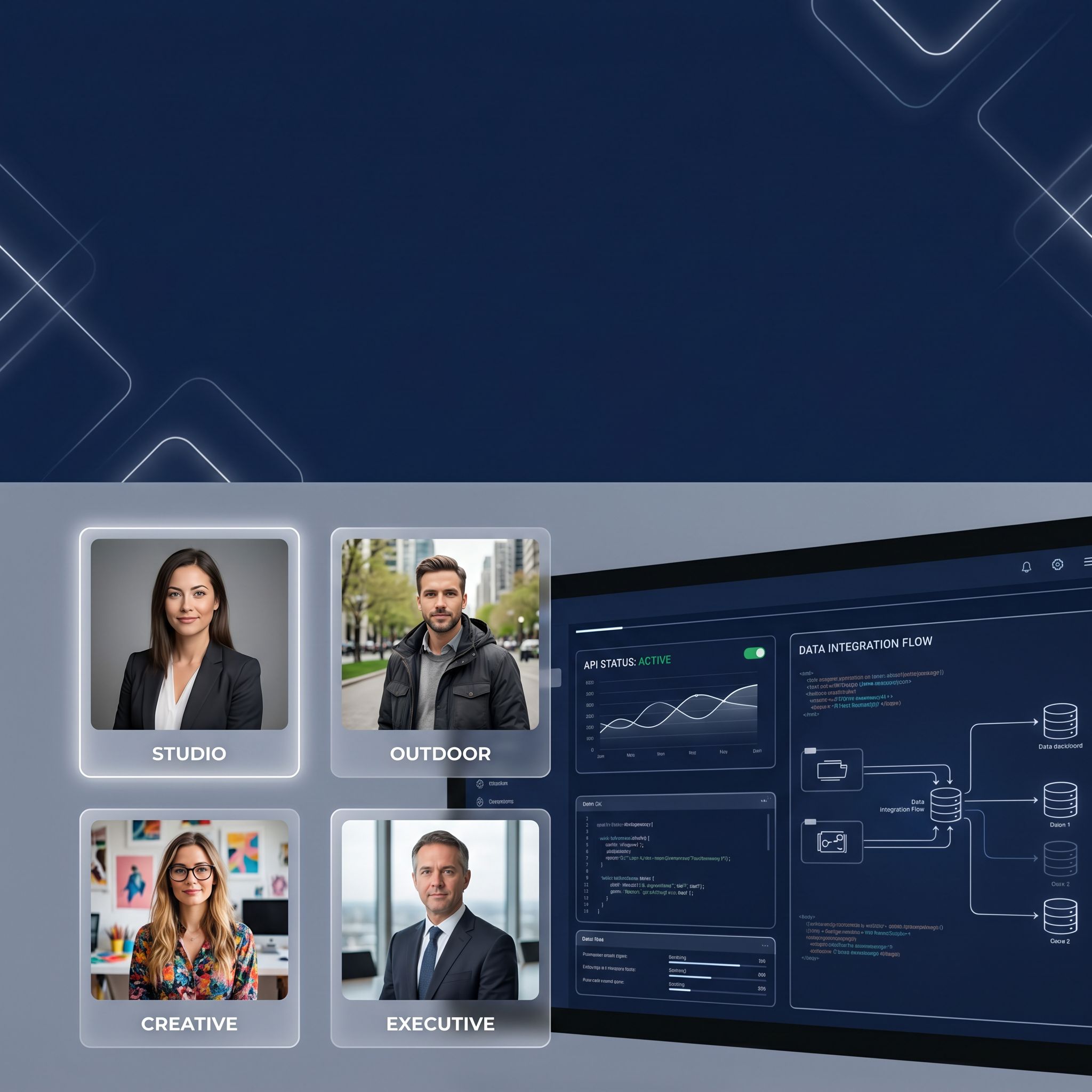
Every "best AI headshot generator" article you've read is the same. MagicShot vs Aragon vs HeadshotPro — who has the best UI, the fastest turnaround, the most styles. All written for one person uploading selfies to a web form.
This article is different. It's for people who need headshots at scale: HR teams refreshing 500 employee profiles, platforms embedding headshot generation into their onboarding flow, real estate brokerages needing agent photos across 40 offices, and anyone using AI agents to generate professional imagery programmatically.
We tested the APIs behind the headshot tools — the ones you can call from code, from a CLI, from an AI agent. We measured latency, pricing at volume, API design quality, and one question that matters more than style count: can I automate this?
Why API-First Headshot Generation Matters
The old way: upload 10 selfies → wait 2 hours → get 40 headshots → manually sort → pick 3.
That works if you're one person updating your LinkedIn. It breaks completely when you need:
- 500 employee headshots for a company rebrand
- Real estate agent photos generated on signup across 20 offices
- A platform feature that lets users generate professional photos from within your app
- An AI agent (Claude Code, Cursor, Codex) that generates headshots as part of a larger workflow
For all of these, the web UI is the bottleneck. You need an API.
How We Tested These APIs
| Dimension | What we measured |
|---|---|
| API quality | REST design, authentication, error handling, response format |
| Latency | Time from API call to deliverable headshot (per image) |
| Pricing at volume | Cost for 100, 1,000, and 10,000 headshots |
| Batch support | Can you submit multiple people in one API call? |
| Customization | Outfit, background, style control via API parameters |
| Agent readiness | Can a coding agent call this without human in the loop? |
All tests used the same source photo set: 5 selfies in varied lighting, uploaded via API where supported.
The Headshot API Landscape at a Glance
| API | Best For | Price per Headshot | API Quality | Batch Support | Agent-Ready? |
|---|---|---|---|---|---|
| HeadshotPro API | Team bulk orders | ~$0.96 (mid-tier) | ✅ RESTful, good docs | ✅ Organization-level | ⚠️ Webhook-based |
| Aragon AI (limited API) | Speed + consistency | ~$0.35-0.50 | ⚠️ Limited, enterprise-only | ⚠️ Contact sales | ❌ No public API |
| AnyCap (multi-model) | AI agents + flexibility | ~$2-7 credits/call | ✅ CLI + REST + Node.js | ✅ Async batch mode | ✅ Built for agents |
| BetterPic | Human-polished results | ~$1.75-3.95 | ❌ No public API | ❌ | ❌ |
| InstaHeadshots | Budget single-user | ~$1.18 | ❌ No public API | ❌ | ❌ |
| Headshots.com | Quality + speed | $15/image | ❌ No public API | ❌ | ❌ |
| MagicShot | Style variety | ~$0.20-0.50 (subscription) | ❌ No public API | ❌ | ❌ |
The headshot market has a stark divide: ~90% of tools are UI-only with no programmatic access. Only HeadshotPro has a real public API. AnyCap takes a different approach — it's a capability runtime that gives AI agents access to the image generation models that power headshot-quality output.
Detailed API Reviews
1. HeadshotPro API — Best for Team Bulk Orders
API endpoint: POST https://api.headshotpro.com/v1/headshots
SDKs: REST (OpenAPI spec), Python wrapper (community)
HeadshotPro is the only dedicated headshot tool with a proper public API. It's designed for organizations: you create a "team" in the dashboard, upload member photos programmatically, and get headshots back via webhook or polling.
# Create a new headshot generation job
curl -X POST https://api.headshotpro.com/v1/headshots \
  -H "Authorization: Bearer $HEADSHOTPRO_API_KEY" \
  -H "Content-Type: application/json" \
  -d '{
    "organization_id": "org_abc123",
    "member_id": "member_xyz",
    "photos": ["https://example.com/selfie1.jpg", "https://example.com/selfie2.jpg"],
    "styles": ["corporate", "outdoor", "creative"],
    "webhook_url": "https://your-app.com/webhooks/headshots"
  }'
What we like: The API is well-documented with an OpenAPI spec. Organization-level management means you can onboard entire teams through one integration. The webhook pattern is standard and works reliably. Pricing at volume ($29 for 30 headshots = $0.96/headshot) is the best in the dedicated headshot space.
What we don't like: The API is headshot-only — no image-to-image, no style transfer, no general image generation. You need a separate provider for anything beyond professional portraits. The minimum photo requirements (1-3 per person) mean you need a photo collection step before API calls. Webhook-based async means you're building a listener, not getting an immediate response.
Verdict: Best if your entire use case is "generate professional headshots for our team/organization" and you want a dedicated, well-documented API. Not the right choice if you need multi-purpose image generation.
2. Aragon AI — Best Speed (Enterprise API Only)
API endpoint: Enterprise-only (contact sales) SDKs: None publicly documented
Aragon AI is one of the fastest and most consistent headshot tools — 90% usable rate, 15-45 minute turnaround, good likeness preservation. But their API is enterprise-gated: you need to contact sales, negotiate a custom plan, and integrate against a non-public API.
What we like: The underlying model quality is strong. Speed is a genuine advantage over competitors. The enterprise plans can scale to thousands of headshots per month.
What we don't like: No public API. No developer docs. No self-serve onboarding. If you're a startup, a small team, or an individual developer, Aragon's API is not available to you. This is a sales-led product, not a developer-first one.
Verdict: If you're a large enterprise already talking to Aragon's sales team, it's worth evaluating. For everyone else, there's no self-serve path.
3. AnyCap — Best for AI Agents & Multi-Model Flexibility
CLI: anycap image generate --prompt "professional corporate headshot..." --model seedream-5
SDKs: CLI-first, REST API, Node.js SDK
AnyCap isn't a headshot generator — it's a capability runtime that gives AI agents access to three image generation models (Seedream 5, Nano Banana Pro, Nano Banana 2) through one CLI. For headshot use cases, this means:
- Seedream 5 for polished first-pass professional portraits
- Nano Banana Pro for fine-tuning: "make the expression warmer, add studio lighting"
- Nano Banana 2 for high-volume batch generation at the lowest cost
# Generate a professional headshot with Seedream 5
anycap image generate \
  --prompt "Professional corporate headshot: woman in navy blazer, warm studio lighting, plain cream background, Canon EOS R5, 85mm f/1.2, sharp focus on eyes, natural skin texture" \
  --model seedream-5 \
  -o executive-headshot.png

# Batch-generate headshots for a team (async mode)
anycap image generate \
  --prompt "Generate professional headshots for 30 team members. Each: business casual, outdoor natural light, diverse backgrounds" \
  --model nano-banana-2 \
  --async \
  --batch-size 10 \
  -o /output/team-headshots/

# Refine a headshot with Nano Banana Pro
anycap image generate \
  --prompt "Same person, change outfit to grey suit, add hair light from back-left, slightly wider crop" \
  --model nano-banana-pro \
  --mode image-to-image \
  --param reference_image_urls='["headshot-v1.png"]' \
  -o headshot-v2.png
What we like: The multi-model approach is the killer feature for headshots. Need a polished first pass? Seedream 5. Need to tweak the expression or outfit? Nano Banana Pro. Need 500 headshots fast and cheap? Nano Banana 2. One CLI, one auth flow, no per-provider integration. The agent-native design means your Claude Code or Cursor agent can generate headshots as part of any workflow — design, HR, marketing, real estate.
What we don't like: It's not a dedicated headshot tool — you're using general-purpose image models for a specific use case. You need to write good prompts to get professional-headshot-quality results. There's no "upload 5 selfies and get your face mapped" pipeline — you describe the person in text or provide reference images.
Verdict: Best for AI agent workflows, multi-purpose teams, and anyone who wants headshot generation as one capability among many (image, video, music) in a unified runtime. The agent-first design is unmatched.
Head-to-Head: API Benchmarks
Latency (single headshot, cold start)
| API | Avg Latency | Batch (10 headshots) | Notes |
|---|---|---|---|
| Seedream 5 (via AnyCap) | 2.4s | 18s | Best first-pass quality |
| Nano Banana 2 (via AnyCap) | 1.8s | 12s | Fastest, lowest cost |
| HeadshotPro API | 60-120 min | 60-120 min | Full pipeline (training + generation) |
| Aragon AI (enterprise) | 15-45 min | N/A | Not disclosed for API |
HeadshotPro and Aragon are fundamentally different: they train a model on your photos first, then generate. AnyCap generates directly from text prompts or reference images. For one-off headshots, AnyCap is 100-1000x faster. For "I need photos that look exactly like me," HeadshotPro's training-based approach produces better likeness — at a time cost.
Pricing at Scale
| API | 100 Headshots | 1,000 Headshots | 10,000 Headshots |
|---|---|---|---|
| Nano Banana 2 (via AnyCap) | ~$4-8 | ~$40-80 | ~$400-800 |
| Seedream 5 (via AnyCap) | ~$10-15 | ~$100-150 | ~$1,000-1,500 |
| HeadshotPro API | ~$96 | ~$960 | Contact sales |
| Aragon AI (enterprise) | ~$35-50 | ~$350-500 | Custom quote |
Note: HeadshotPro and Aragon pricing includes model training per person. AnyCap pricing is per image generated. If you need 10 headshots of the same person, HeadshotPro trains once and generates 10 — AnyCap generates 10 from prompts. The math favors different tools at different scales.
How to Choose the Right Headshot API
| If you need... | Choose... | Because... |
|---|---|---|
| Headshots that look exactly like specific people | HeadshotPro API | Photo-training pipeline preserves likeness |
| Headshots from your AI agent (Claude Code, Cursor) | AnyCap | CLI-native, multi-model, immediate |
| High-volume batch: 500+ headshots fast | AnyCap (Nano Banana 2) | 1.8s per image, lowest cost |
| Enterprise with existing Aragon relationship | Aragon AI | Fastest UI-based tool with enterprise API |
| A platform feature: headshot gen inside your app | HeadshotPro API (dedicated) or AnyCap (multi-purpose) | Depends on whether you need just headshots or the full image gen suite |
| Best first-pass quality from text description | AnyCap (Seedream 5) | Polished first-pass, no training needed |
How to Add Headshot Generation to Your AI Agent
If your agent (Claude Code, Cursor, Codex) needs to generate professional headshots, here's the simplest path:
Step 1: Install AnyCap
npm install -g anycap
anycap login
Step 2: Create a headshot prompt template
HEADSHOT_PROMPT = """
Professional corporate headshot: {description}.
Style: {style}.
Technical: Canon EOS R5, 85mm f/1.2, sharp focus on eyes,
natural skin texture, professional studio lighting,
plain {background} background, 1024x1024.
"""

def generate_headshot(description: str, style: str = "business casual, navy blazer", background: str = "cream"):
    prompt = HEADSHOT_PROMPT.format(description=description, style=style, background=background)

    result = subprocess.run([
        "anycap", "image", "generate",
        "--prompt", prompt,
        "--model", "seedream-5",
        "--output-format", "json",
        "-o", f"/output/headshots/{slugify(description)}.png"
    ], capture_output=True, text=True)

    return json.loads(result.stdout)["image_url"]
Step 3: Batch generate for a team
# Generate 50 team headshots from a CSV of names + descriptions
anycap image generate \
  --prompt "$(python generate_prompts.py --csv team.csv --style 'business casual')" \
  --model nano-banana-2 \
  --async \
  --batch-size 10 \
  -o /output/team-headshots/
Tell your agent: "Generate professional headshots for everyone in team.csv using Seedream 5 for quality" — and it handles the rest.
FAQ
Why don't most AI headshot tools have APIs?
Most AI headshot companies are consumer-first: they built a web UI for individuals, found product-market fit, and stayed there. Building and maintaining a public API requires different engineering, different pricing, and different support — and most haven't made that investment. HeadshotPro is the exception in the dedicated headshot space.
Can I use AnyCap for headshots that look like a specific person?
Yes, but the approach is different from HeadshotPro. You describe the person in text (or provide a reference image with image-to-image mode). The result will look professional and realistic, but it won't be a pixel-perfect match to a specific individual. For use cases where exact likeness is critical, HeadshotPro's photo-training approach is better. For use cases where you need professional-looking people in specific scenarios (marketing, avatars, platform defaults), AnyCap excels.
What's the cheapest way to generate 1,000 headshots?
Nano Banana 2 via AnyCap at ~$4-8 per 1,000 images is the most cost-effective for high volume. If you need exact likeness, HeadshotPro at ~$0.96/headshot is the cheapest dedicated option — but you pay the time cost of training per person.
Do any of these APIs support real-time headshot generation?
AnyCap (via Nano Banana 2) generates in ~1.8 seconds — effectively real-time for most use cases. HeadshotPro and Aragon require model training first (15 minutes to 2 hours), so they're not real-time.
Can my Claude Code or Cursor agent generate headshots?
Yes. AnyCap is designed for exactly this: npm install -g anycap, authenticate, and your agent can generate headshots by shelling out to the CLI. No separate API keys, no per-provider integration.
What's Next for AI Headshot Generation
Three trends reshaping this space:
API-first is coming. HeadshotPro proved the demand. Within 12 months, expect Aragon, BetterPic, and others to follow with public APIs — or lose the team/enterprise market to tools that offer programmatic access.
Headshots are becoming a capability, not a product. Teams don't want a headshot tool. They want image generation as part of their existing workflow — HR platforms, real estate CRMs, team directories. AnyCap's model (headshot generation as one CLI command among many) points to where the market is heading.
AI agents will generate most professional imagery by 2027. When your Claude Code agent can generate a headshot, a product photo, a social media graphic, and a video — all from one terminal window — the standalone headshot tool starts to look like a one-trick pony.
Last updated: May 2026. API availability and pricing change rapidly — verify with provider documentation.