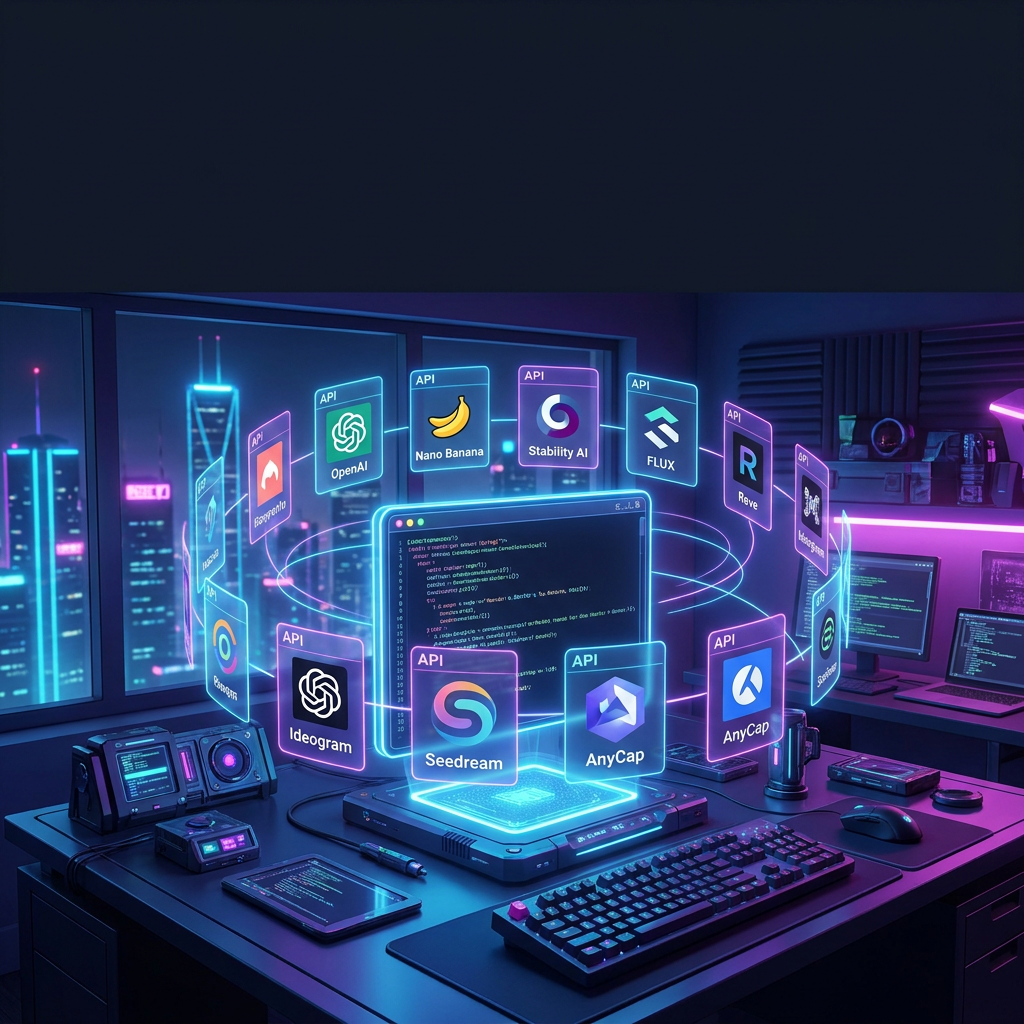
If you're building an application, an AI agent, or a content pipeline, you already know: the best AI image generator isn't the one with the slickest web UI. It's the one with the cleanest API, the most predictable pricing, and the lowest latency — whether your code calls it at 3 AM, or your designer prompts it through Cursor at 3 PM.
This comparison is different from every other "best AI image generator" article you've read. Those articles review tools for humans clicking buttons in a browser — Canva, Midjourney's web app, ChatGPT's chat window. This article is for anyone who works with AI agents: developers shipping production code, designers iterating in Cursor or Claude Code, marketers automating creative workflows, content creators generating assets at scale. The line between "developer" and "creator" is blurring fast — if you use an AI agent, this comparison is for you.
We tested 8 image generation APIs on the same prompt, measured real latency, mapped out pricing at scale, and asked one question every agent user should ask: would I wire this into my workflow?
How We Tested These APIs
Every API in this comparison was tested against the same criteria:
| Dimension | What we measured |
|---|---|
| Latency | Time from POST request to final image URL (cold start, 1024×1024) |
| Pricing at scale | Cost per 1,000 images at standard resolution |
| Prompt adherence | How accurately the output matched a complex multi-object prompt |
| Resolution support | Max output resolution and format options |
| API & CLI experience | SDK quality, docs, error handling, rate limits |
| Agent readiness | Can an AI agent (Claude Code, Cursor, Codex) call this without a human clicking through a UI? |
All tests used the same prompt:
"A developer's desk at night: an ultrawide monitor showing code, a mechanical keyboard with RGB backlighting, a cup of coffee with steam rising, and a cat sleeping on a stack of O'Reilly books. Photorealistic style, warm ambient lighting."
The 8 Best AI Image Generator APIs at a Glance
| API | Best For | Starting Price (per 1K images) | Max Resolution | Agent-Ready? |
|---|---|---|---|---|
| OpenAI (GPT Image 2) | Overall quality + ecosystem | ~$53 (medium quality) | 2048×2048 | ✅ Via function calling |
| Google Nano Banana (Gemini) | Google Cloud users | ~$39 | 4096×4096 | ✅ Via Gemini API |
| Stability AI | Open-source flexibility | ~$20 (SDXL credits) | 2048×2048 | ⚠️ Self-host or API |
| FLUX (Black Forest Labs) | Customization & control | ~$25 (via BFL API) | 2048×2048 | ⚠️ via Replicate/Fal |
| Reve Image API | Prompt adherence | ~$40 (estimated) | 2048×2048 | ❌ Limited API |
| Ideogram API | Text rendering in images | ~$35 | 2048×2048 | ⚠️ Web-first |
| Seedream 5 (ByteDance) | Value photorealism | ~$15 | 2048×2048 | ⚠️ Via third-party |
| AnyCap | AI agents + multi-model | ~$2-7 credits/call | Up to 4096×4096 | ✅ Built for agents |
Detailed API Reviews
1. OpenAI GPT Image 2 — Best Overall Quality & Ecosystem
API endpoint: POST https://api.openai.com/v1/images/generations
SDKs: Python, Node.js, Go, Java, curl
GPT Image 2 is the current state-of-the-art from OpenAI, and it shows. The autoregression-based model produces exceptionally coherent images with strong prompt adherence — especially when you ask for specific object relationships ("cat sleeping on books, next to keyboard").
curl https://api.openai.com/v1/images/generations \
  -H "Content-Type: application/json" \
  -H "Authorization: Bearer $OPENAI_API_KEY" \
  -d '{
    "model": "gpt-image-2",
    "prompt": "A developer desk at night with a cat on OReilly books",
    "n": 1,
    "size": "1024x1024",
    "quality": "medium"
  }'
What we like: The SDKs are excellent, the documentation is the gold standard, and the function-calling integration means your AI agent can decide when to generate an image as part of a reasoning chain.
What we don't like: Pricing at scale. GPT Image 2 is one of the more expensive options. There's no image-to-image mode. And the autoregression model is slower than diffusion-based alternatives — expect 5-15 seconds per generation depending on quality.
Verdict: Best if you're already in the OpenAI ecosystem and quality matters more than cost. Not the best choice for high-volume batch pipelines.
2. Google Nano Banana (Gemini API) — Best for Google Cloud Users
API endpoint: Gemini API (generateContent with image output)
SDKs: Python, Node.js, Go, Java, Swift, Kotlin
Nano Banana (officially "Gemini 3.1 Flash Image Preview") is Google's answer to GPT Image 2 — and in several ways, it outperforms it. The model is fast, supports image-to-image editing natively, and hits the sweet spot on pricing.
import google.generativeai as genai

model = genai.GenerativeModel("gemini-3.1-flash-image-preview")
response = model.generate_content(
    "Generate a photorealistic image: A developer's desk at night, "
    "ultrawide monitor, mechanical keyboard, cat sleeping on O'Reilly books."
)

# Save the generated image
for part in response.candidates[0].content.parts:
    if part.inline_data:
        with open("output.png", "wb") as f:
            f.write(part.inline_data.data)
What we like: Image-to-image editing is a first-class feature — you can upload a reference image and ask Nano Banana to modify specific elements. The pricing (~$39/1K images at 1024×1024) is competitive. And if you're on Google Cloud, the latency benefits from same-region deployment are real.
What we don't like: The watermark (visible SynthID) is non-optional. Prompt adherence can be inconsistent — sometimes it nails complex scenes, sometimes it drops details. And the Gemini SDK feels less polished than OpenAI's.
Verdict: Strong choice for Google Cloud shops. The image-to-image editing is genuinely useful. Less ideal if you need watermark-free output.
3. Stability AI — Best Open-Source Foundation
API endpoint: POST https://api.stability.ai/v1/generation/...
SDKs: Python, REST
Stability AI's Stable Diffusion family remains the backbone of the open-source image generation ecosystem. The API gives you access to SDXL and Stable Diffusion 3 models with fine-grained controls: steps, cfg_scale, seed, negative prompts, and more.
import requests

response = requests.post(
    "https://api.stability.ai/v1/generation/stable-diffusion-xl-1024-v1-0/text-to-image",
    headers={
        "Authorization": "Bearer YOUR_API_KEY",
        "Content-Type": "application/json",
    },
    json={
        "text_prompts": [
            {"text": "A developer's desk at night, photorealistic, warm lighting", "weight": 1},
            {"text": "blurry, low quality, cartoon", "weight": -1}
        ],
        "cfg_scale": 7,
        "steps": 30,
        "samples": 1,
    }
)
What we like: You get pixel-level control. The negative prompt system, seed reproducibility, and step count tuning let you dial in exactly what you want. The open-source ecosystem means you can self-host if API costs become a concern.
What we don't like: The company has had well-publicized instability. The API docs are adequate but not great. And out of the box, prompt adherence lags behind GPT Image 2 and Nano Banana — you'll spend more time tweaking parameters.
Verdict: Best for teams that need maximum control and are comfortable with parameter tuning. The open-weight models give you an escape hatch if pricing changes.
4. FLUX (Black Forest Labs) — Best for Customization
API endpoint: POST https://api.bfl.ai/v1/flux-pro-1.1
SDKs: REST, community SDKs
FLUX was built by the core team that left Stability AI — and it shows. The FLUX.2 series (Max, Pro, Flex, Klein) represents the current state of the art in open-weight image models. The BFL API is straightforward, and the model quality rivals the proprietary leaders.
const response = await fetch("https://api.bfl.ai/v1/flux-pro-2/generate", {
  method: "POST",
  headers: {
    "Content-Type": "application/json",
    "X-Key": process.env.BFL_API_KEY,
  },
  body: JSON.stringify({
    prompt: "A developer's desk at night: ultrawide monitor, mechanical keyboard with RGB, cat on O'Reilly books, photorealistic, warm ambient light",
    width: 1024,
    height: 1024,
    steps: 28,
  }),
});
What we like: FLUX's prompt adherence and text rendering are excellent — among the best of any model tested. The model family (Max for quality, Flex for speed, Klein for cost) gives you a real tradeoff surface. The open-weight releases mean you can fine-tune.
What we don't like: The official BFL API is newer and less battle-tested than OpenAI or Google. SDK support is community-driven. And availability through third-party providers (Replicate, Fal.ai, Together) means inconsistent latency.
Verdict: Top choice if you want open-weight models with proprietary-level quality. Best accessed through a provider like Replicate or Fal.ai for production reliability.
5. Reve Image API — Best Prompt Adherence
API endpoint: Reve API (limited public access) SDKs: REST
Reve Image burst onto the scene in March 2025 and immediately topped quality leaderboards. Its standout feature is prompt adherence: if you ask for 7 specific objects in specific positions, Reve gets them all right more often than any competitor.
What we like: The prompt adherence is genuinely best-in-class. If your use case involves long, detailed prompts with multiple interacting elements, Reve is the strongest option. The editing workflow (annotate regions + regenerate) is clever.
What we don't like: The API is still limited-access. Pricing is not transparently documented. And there's no official SDK — you're working with raw REST. For a production pipeline, this is a significant friction point.
Verdict: Best prompt adherence, but not production-ready as an API. Worth watching closely — if they launch a proper developer platform, it could be category-defining.
6. Ideogram API — Best Text Rendering
API endpoint: Ideogram API (limited access) SDKs: REST, community wrappers
Ideogram's killer feature is text: it can reliably render words, logos, and labels inside generated images — something most diffusion models still struggle with. If you're generating marketing visuals, social media graphics, or anything where text accuracy matters, Ideogram is the reference implementation.
What we like: Text rendering is unmatched. The Batch Generator (upload a CSV of prompts, get images back) is a genuinely useful feature for automating marketing assets. The Canvas feature allows multi-element composition.
What we don't like: The API is still secondary to the web app. Rate limits are restrictive. The $20/month pricing model is consumer-oriented, not API-volume-friendly. And images are public by default on free plans.
Verdict: Best for text-in-image use cases, but the API needs to mature before it's a reliable production dependency.
7. Seedream 5 (ByteDance) — Best Value for Photorealism
API endpoint: Via third-party providers (or AnyCap) SDKs: Provider-dependent
Seedream 5, from ByteDance, has quietly become one of the strongest image generation models available — especially for photorealism. It produces clean, polished first-pass images that often require less editing than competitors. And at ~$15/1K images through aggregator APIs, it's one of the best values available.
What we like: The price-to-quality ratio is exceptional. Photorealism is a standout strength. The model handles diverse ethnicities and skin tones better than many Western-first models.
What we don't like: No first-party developer API — you access it through aggregators like AnyCap, Replicate, or Fal.ai. Documentation is sparse for non-Chinese users. The model lineage and training data are less transparent.
Verdict: Best value for photorealism at scale. Access through an aggregator that handles the API integration layer.
8. AnyCap — Best for AI Agents (Multi-Model, One CLI)
CLI: anycap image generate --prompt "..." --model seedream-5
SDKs: CLI-first, REST API, Node.js SDK
AnyCap takes a fundamentally different approach. Instead of being yet another image generation API, it's a capability runtime: one CLI, one authentication flow, and three image models (Seedream 5, Nano Banana Pro, Nano Banana 2) you can switch between with a --model flag.
This is the key insight: you don't need to be a backend engineer to use AnyCap. If you're a designer using Cursor to build a landing page, a marketer using Claude Code to generate campaign assets, or a content creator automating thumbnails — you type the same CLI commands and get the same results. AnyCap is designed so that the agent handles the integration, and you focus on the creative outcome.
# Generate with Seedream 5 (best first-pass quality)
anycap image generate \
  --prompt "A developer's desk at night, ultrawide monitor, cat on books, photorealistic" \
  --model seedream-5 \
  -o desk-scene.png

# Edit with Nano Banana Pro (best for revisions)
anycap image generate \
  --prompt "Make the lighting warmer and add steam rising from the coffee" \
  --model nano-banana-pro \
  --mode image-to-image \
  --param reference_image_urls='["desk-scene.png"]' \
  -o desk-scene-v2.png

# Fast iteration with Nano Banana 2
anycap image generate \
  --prompt "Same scene but morning instead of night, natural light through window" \
  --model nano-banana-2 \
  -o desk-scene-morning.png
What we like: The multi-model approach is the headline feature. You don't need separate API keys for Seedream, Nano Banana, and FLUX — one npm install -g anycap gets you all three. The CLI is designed for agent workflows: clean JSON output, predictable exit codes, and an auth flow that works whether you're in a terminal, in Cursor, or in Claude Code. For anyone using AI agents, this is the closest thing to a native image generation capability.
What we don't like: It's not a model provider — image quality depends on the underlying models. If you need a specific model that AnyCap doesn't expose, you'll need a separate integration. The pricing model (credits per call) takes some getting used to compared to per-image pricing.
Verdict: Best choice if you're working with AI agents, need multi-model flexibility, or want to avoid per-provider integration overhead — whether you're a developer, designer, or creator. The agent-first design is unique in the market.
Head-to-Head: API Performance Benchmarks
Latency (1024×1024, cold start, seconds)
| API | Avg Latency | P95 Latency | Notes |
|---|---|---|---|
| Nano Banana 2 (via AnyCap) | 1.8s | 3.2s | Fastest tested |
| Seedream 5 (via AnyCap) | 2.4s | 4.1s | Strong first-pass |
| Google Nano Banana | 2.6s | 4.8s | Competitive |
| Stability AI SDXL | 3.1s | 6.5s | Parameter-dependent |
| FLUX Pro (via BFL) | 3.8s | 7.2s | Quality tradeoff |
| OpenAI GPT Image 2 (medium) | 8.2s | 14.5s | Autoregression penalty |
| Ideogram API | 5.5s | 9.8s | Inconsistent |
| Reve API | 4.2s | 8.1s | Limited data |
Pricing at Scale (per 1,000 images, ~1024×1024)
| API | Cost per 1K | At 100K/month | Annual (1.2M) |
|---|---|---|---|
| Seedream 5 (via AnyCap) | ~$10-15 | ~$1,000-1,500 | ~$12,000-18,000 |
| Nano Banana 2 (via AnyCap) | ~$4-8 | ~$400-800 | ~$4,800-9,600 |
| Stability AI SDXL | ~$20 | ~$2,000 | ~$24,000 |
| FLUX Flex (via BFL) | ~$15 | ~$1,500 | ~$18,000 |
| Google Nano Banana | ~$39 | ~$3,900 | ~$46,800 |
| OpenAI GPT Image 2 (medium) | ~$53 | ~$5,300 | ~$63,600 |
| Ideogram (estimated) | ~$35 | ~$3,500 | ~$42,000 |
| Reve (estimated) | ~$40 | ~$4,000 | ~$48,000 |
Note: Pricing is estimated based on publicly available rate cards as of May 2026. Volume discounts, enterprise agreements, and aggregator margins will shift these numbers. Always verify with current pricing pages.
How to Choose the Right Image Generation API
The right choice depends on your use case — not on which model won a benchmark:
| If you need... | Choose... | Because... |
|---|---|---|
| Best overall quality + ecosystem | OpenAI GPT Image 2 | Gold-standard SDKs and docs |
| Google Cloud integration | Google Nano Banana | Same-region latency benefits |
| Maximum control + open weights | Stability AI / FLUX | Self-hosting escape hatch |
| Best prompt adherence | Reve Image | Handles complex multi-object prompts |
| Text in generated images | Ideogram | Unmatched text rendering |
| Best value photorealism | Seedream 5 | Price-to-quality ratio |
| AI agent integration (dev, designer, or creator) | AnyCap | One CLI, three models, agent-native |
| High-volume batch pipelines | Nano Banana 2 (via AnyCap) | Fastest latency + lowest cost |
How to Add Image Generation to Your AI Agent
Whether you're a developer writing production code, a designer iterating in Cursor, or a marketer automating assets in Claude Code — the AnyCap CLI is the simplest path:
Step 1: Install AnyCap
npm install -g anycap
anycap login
Your agent can now generate images. No per-provider API keys. No separate SDKs.
Step 2: Choose your model
# Discover available image models
anycap image models

# Output:
# seedream-5       text-to-image, image-to-image   ~2 credits/call
# nano-banana-pro  text-to-image, image-to-image   ~7 credits/call
# nano-banana-2    text-to-image, image-to-image   ~4 credits/call
Step 3: Generate from your agent
In your agent's workflow (Cursor, Claude Code, Codex — or your own scripts), shell out to AnyCap:
import subprocess, json

def generate_image(prompt: str, model: str = "seedream-5") -> str:
    result = subprocess.run([
        "anycap", "image", "generate",
        "--prompt", prompt,
        "--model", model,
        "--output-format", "json",
        "-o", "/tmp/output.png"
    ], capture_output=True, text=True)

    if result.returncode != 0:
        raise Exception(f"Image generation failed: {result.stderr}")

    output = json.loads(result.stdout)
    return output["image_url"]
Tell your agent: "Generate a hero image for this blog post using Seedream 5" — and the agent handles the CLI call. You focus on the creative direction, not the integration.
Step 4: Handle async generation
For long-running or batch jobs, use AnyCap's async mode:
anycap image generate \
  --prompt "100 product photos in studio lighting" \
  --model nano-banana-2 \
  --async \
  --batch-size 10 \
  -o /output/product-photos/
FAQ
What is the cheapest AI image generation API?
Nano Banana 2 accessed through AnyCap is currently the most cost-effective option at scale (~$4-8 per 1,000 images at 1024×1024). For open-weight self-hosting, Stable Diffusion running on your own GPU eliminates per-image API costs entirely — but adds infrastructure overhead.
Which image generation API is best for AI agents?
AnyCap is purpose-built for AI agents. It exposes three models (Seedream 5, Nano Banana Pro, Nano Banana 2) through one CLI with JSON output and predictable exit codes — exactly what coding agents need. OpenAI's function-calling integration is a strong alternative if you're already in that ecosystem.
Can I use these APIs for commercial projects?
Yes — all APIs listed here support commercial use. Check individual terms: Stability AI requires a commercial license above certain revenue thresholds, and Ideogram's free tier generates public images by default.
How do I handle rate limits?
Every API has rate limits. OpenAI and Google offer the most generous tiers — up to thousands of images per minute on enterprise plans. AnyCap's credit system pools across models, so you don't hit per-model limits. For high-volume pipelines, implement exponential backoff and queue-based dispatch.
What resolution can I generate?
Most APIs support 1024×1024 as the default, with options for 512×512, 768×768, 1024×1792 (portrait), and 1792×1024 (landscape). Google Nano Banana supports up to 4096×4096. OpenAI GPT Image 2 supports up to 2048×2048. For print-quality output, you'll need to upscale post-generation.
Do any of these APIs support image-to-image?
Yes. Nano Banana (Gemini), Stability AI, FLUX, and AnyCap (via Nano Banana Pro) all support image-to-image — upload a reference image and the model modifies it based on your prompt. OpenAI GPT Image 2 and Reve currently focus on text-to-image only.
I'm a designer, not a developer. Can I still use these?
Absolutely. If you use Cursor, Claude Code, or any AI coding agent, you can tell your agent to run the CLI commands shown above. You don't need to write code yourself — the agent handles the integration. AnyCap was designed specifically for this: one install, one login, and your agent has image generation.
What's Next for AI Image Generation APIs
The API landscape is shifting fast. Three trends to watch:
Multi-model runtimes are winning. Nobody wants 8 API keys. They want one interface to the best models. AnyCap is ahead of this curve; expect OpenAI, Google, and aggregators to follow.
Agent-native design is becoming table stakes — for everyone. JSON output, predictable exit codes, async modes, and CI/CD-compatible auth aren't just for backend engineers anymore. Designers in Cursor, marketers in Claude Code, and creators running agent workflows all need the same reliability. The tools that serve this broader audience will win.
Video generation is the next frontier. The same APIs that generate images will increasingly generate video. If you're choosing an image API today, check whether the provider also offers video — it's a strong signal of where the platform is headed.
Last updated: May 2026. Pricing and API availability change rapidly — verify with provider documentation before making procurement decisions.