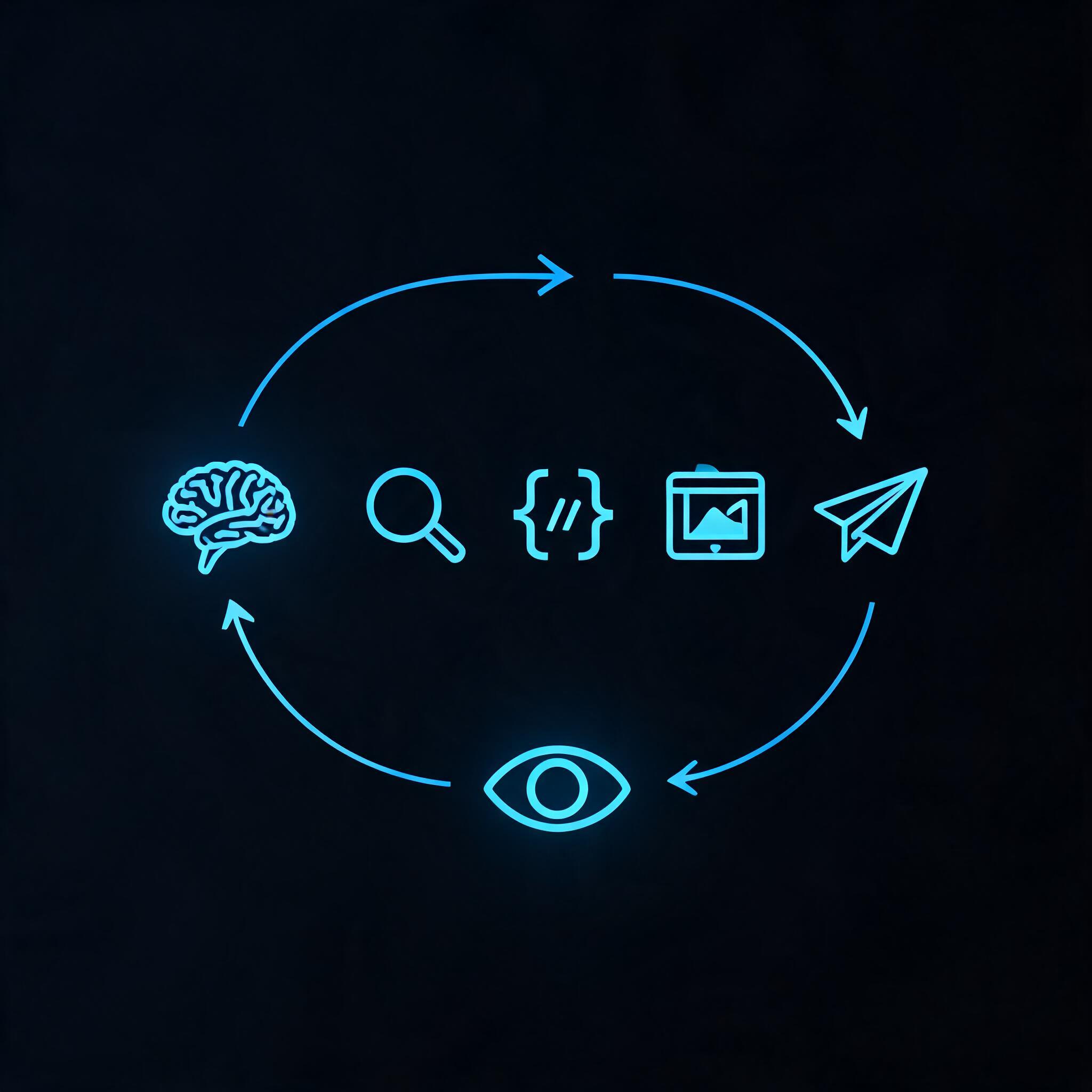
Building an AI agent sounds complex — and it can be, if you try to build everything from scratch. But the core pattern is straightforward: give a language model access to tools, let it decide which tool to use and when, and loop until the goal is reached.
This guide walks through building an AI agent step by step, from architecture to working code. By the end, you'll have a functional agent that can search the web, generate images, and deliver results — all through a single CLI.
What Is an AI Agent?
Before writing code, let's define what we're building.
An AI agent is a system that takes a goal, plans a sequence of actions, uses tools to execute those actions, observes the results, and adapts. Unlike a chatbot that responds to a single prompt, an agent works autonomously toward an objective — potentially across dozens of tool calls.
Chatbot: "Summarize this article." → Returns summary.
AI agent: "Research this topic, find the best sources, write a report, and publish it." → Plans, searches, reads, writes, publishes.
The agent's power comes from its tools — the capabilities it can invoke. Without tools, an agent is just a language model with a long prompt. With tools, it can interact with the world.
The Architecture of an AI Agent
Every agent follows the same fundamental loop:
┌─────────────────────────────────────────┐
│             AGENT LOOP                   │
│                                          │
│  1. Receive goal                         │
│  2. Think: What should I do next?        │
│  3. Act: Choose and call a tool          │
│  4. Observe: What was the result?        │
│  5. Decide: Is the goal reached?         │
│     → No? Go back to step 2.             │
│     → Yes? Return results.               │
└─────────────────────────────────────────┘
This is called the ReAct pattern (Reasoning + Acting). Every agent framework — LangChain, CrewAI, AutoGen, OpenAI Agents SDK — implements some version of this loop.
The three components you need:
- A language model — the reasoning engine (Claude, GPT-4o, Gemini)
- A set of tools — what the agent can do (search, crawl, generate, save, publish)
- An orchestrator — the loop that decides which tool to call next
Step 1: Choose Your Tools
The tools define what your agent can accomplish. Start by asking: "What does my agent need to do in the real world?"
Common agent tools:
| Capability | Why It Matters |
|---|---|
| Web search | Research, fact-finding, competitive analysis |
| Web crawling | Deep reading of specific pages, data extraction |
| Image generation | Creating visuals, diagrams, assets |
| File storage | Persistent output, sharing, asset management |
| Web publishing | Delivering finished work as live pages |
| Code execution | Running scripts, data processing, automation |
The mistake most beginners make: giving an agent too few tools, then wondering why it can't accomplish anything. A search-only agent can only return links. A search + crawl + store + publish agent can produce finished, delivered work.
The simplest way to provision tools: use a unified capability layer that bundles search, crawl, image generation, storage, and publishing behind one interface. Instead of configuring five separate APIs and managing five sets of credentials, your agent calls one CLI with one auth flow. This keeps the agent loop simple and the token overhead low.
Step 2: Define Your Agent's System Prompt
The system prompt is the agent's "operating manual." It tells the model what it is, what tools it has, and how to use them.
A good system prompt has four parts:
- Identity: What the agent is
- Goal: What it should accomplish
- Tools: What it can use and when
- Constraints: What it should not do
Example:
You are a research agent. Your goal is to research a given topic
thoroughly and produce a comprehensive report.

You have access to these tools:
- search: Find information on the web. Use for broad research.
- crawl: Read a specific web page in full. Use after finding
  promising sources.
- drive upload: Save reports and assets persistently.
- page deploy: Publish the final report as a web page.

Workflow:
1. Start with broad search queries to understand the landscape.
2. Identify the most authoritative sources and crawl them.
3. Synthesize findings into a structured report.
4. Upload the report to Drive for safekeeping.
5. Deploy the report as a published page.

Constraints:
- Always cite your sources.
- If a source contradicts another, investigate further.
- Never fabricate information.
Step 3: Implement the Agent Loop
Here's a minimal agent loop in Python. The pattern is production-ready — think, act, observe, repeat:
import subprocess
import json

def call_tool(tool_name, **params):
    """Execute a tool and return the result."""
    if tool_name == "search":
        result = subprocess.run(
            ["anycap", "search", "--prompt", params["query"]],
            capture_output=True, text=True
        )
        return json.loads(result.stdout)
    elif tool_name == "crawl":
        result = subprocess.run(
            ["anycap", "crawl", params["url"]],
            capture_output=True, text=True
        )
        return result.stdout
    elif tool_name == "drive_upload":
        subprocess.run(
            ["anycap", "drive", "upload", params["file"]],
            capture_output=True
        )
        return {"status": "uploaded", "file": params["file"]}
    elif tool_name == "page_deploy":
        result = subprocess.run(
            ["anycap", "page", "deploy", params["file"]],
            capture_output=True, text=True
        )
        return json.loads(result.stdout)

# The agent loop
def agent_loop(goal, tools, max_steps=20):
    memory = [{"role": "system", "content": SYSTEM_PROMPT}]
    memory.append({"role": "user", "content": goal})

    for step in range(max_steps):
        response = llm_call(memory, tools)

        if response.get("done"):
            return response["result"]

        tool_name = response["tool"]
        tool_params = response["params"]
        result = call_tool(tool_name, **tool_params)

        memory.append({"role": "assistant", "content": str(response)})
        memory.append({"role": "tool", "content": str(result)})

    return "Agent reached maximum steps without completing the goal."
Step 4: Handle Failures
Agents fail. The question is how they handle it. Build in these safeguards from the start:
Timeout Protection
Don't let an agent loop forever. Set a maximum number of steps and a time limit. If the agent exceeds either, it should return what it has so far — not crash silently.
Tool Failure Recovery
When a tool call fails — a URL is unreachable, an API returns an error — the agent should receive the error message and decide what to do next. Don't hide errors from the agent. It needs to know when something didn't work.
try:
    result = call_tool(tool_name, **tool_params)
except Exception as e:
    result = {"error": str(e), "suggestion": "Try an alternative approach"}
Cost Awareness
Every search, every crawl, every image generation costs credits. Give the agent a budget and make it aware of costs. An agent that burns through 100 searches to answer a simple question is badly designed.
Step 5: The Difference Between Demo and Production
The difference between a demo agent and a useful agent is real-world tool access. A demo agent returns text. A useful agent returns a published report, a generated image, or a deployed web page.
Production agents need five capabilities: search the web, read specific pages, generate visuals, store output persistently, and publish finished work. The agent's code stays simple — it just calls the tools it needs. The complexity of API integration, authentication, and error handling lives in the runtime, not in your agent loop.
Common Mistakes When Building Agents
Mistake 1: No Exit Condition
An agent without a clear "done" signal will loop forever. Define success explicitly: the agent is done when it produces a specific output (a report, a deployed page) or when it confirms the goal is unreachable.
Mistake 2: Too Few Tools
"Search only" agents are glorified search engines. Give your agent the full pipeline: find → read → create → store → deliver.
Mistake 3: Ignoring Tool Results
Agents sometimes call a tool and ignore the output, proceeding based on what they assumed the result would be. Force the agent to incorporate every tool result into its next decision.
Mistake 4: Over-engineering the Loop
You don't need a custom orchestration framework for most use cases. A simple ReAct loop with a good system prompt and capable tools outperforms a complex multi-agent setup for 80% of tasks.
From Tutorial to Production
The agent you built here is a starting point. To make it production-ready:
- Add logging: Record every tool call, its result, and the agent's reasoning for debugging.
- Add human-in-the-loop: For high-stakes actions (publishing, sending emails), require human approval.
- Add monitoring: Track success rate, average steps per task, and tool call distribution to identify bottlenecks.
- Iterate on the system prompt: The prompt is the agent's brain. Tune it based on real usage patterns.
Building an AI agent isn't about complex architecture. It's about giving a reasoning engine the right tools and a clear goal. Start simple: one model, 3-5 tools, a basic loop. Add complexity only when the simple version breaks.