Use Cases
By AnyCap Team · Last updated April 8, 2026
Funny meme drawings
are one of the best AI-agent fits
If you want funny meme drawings, the goal is not to recreate every old internet meme. The smarter move is to choose a repeatable visual preset, generate a few strong doodle-style variants, and only add exact copy when the joke needs it. That is where AnyCap image generation fits especially well around Codex, Cursor, and Claude Code.
Answer-first summary
The strongest funny meme drawings workflow starts with `classic-doodle`, uses Nano Banana 2 for fast iteration, and treats the caption as optional until the image itself stops carrying the joke.
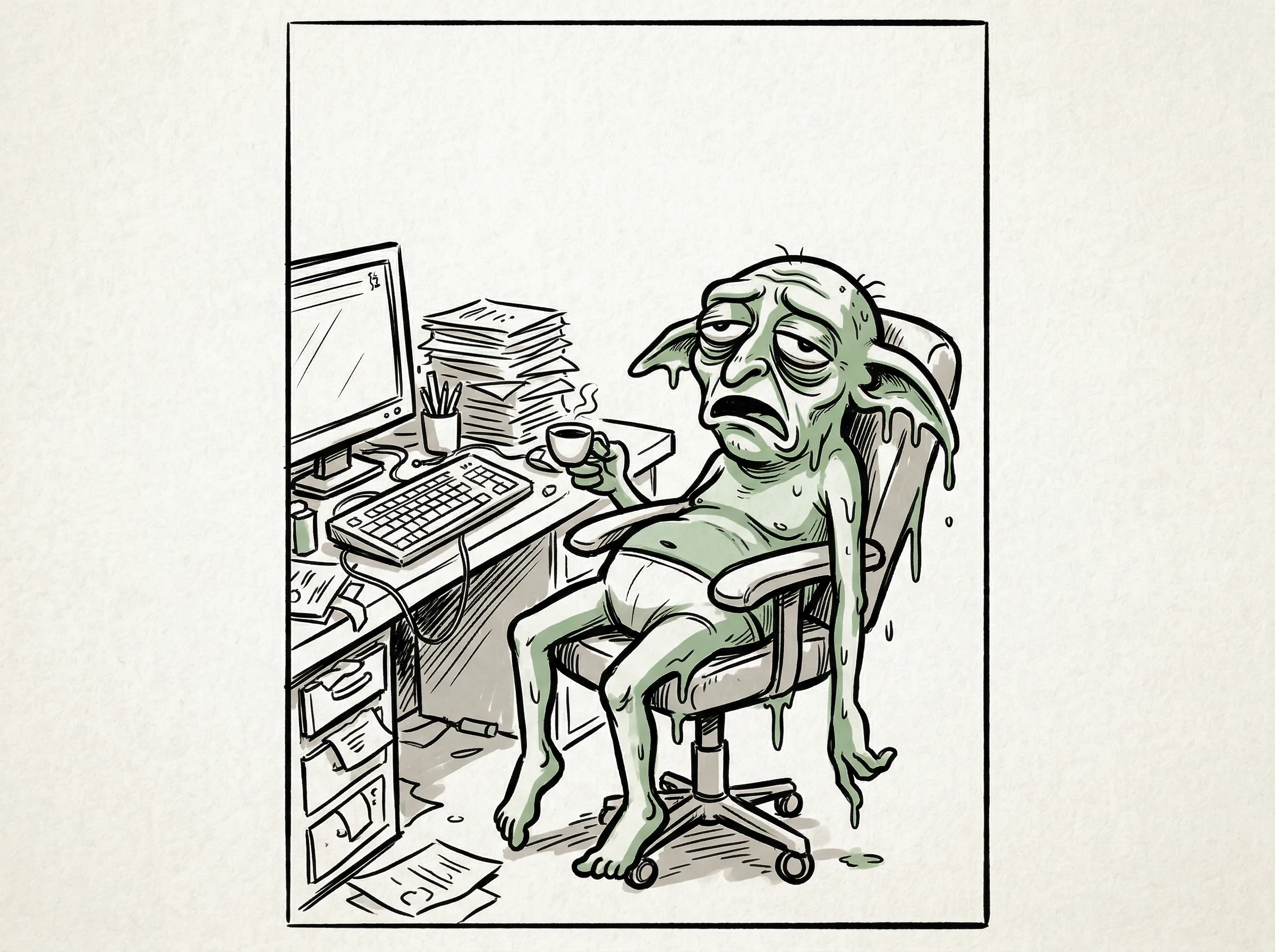
This hero image was generated with Nano Banana 2 during the workflow build for this page. It is exactly the kind of low-fi, expressive visual that makes funny meme drawings more durable than trend-chasing meme-template pages.
Quick answer
Use presets, not random prompt drift
Funny meme drawings become much easier to scale once you stop treating each image as a totally new art direction. A small preset library lets the skill, the article screenshots, and the search cluster reinforce each other.
- Funny meme drawings are one of the strongest search-fit style families for AnyCap because the image can land the joke before the caption is finalized.
- The highest-value preset is `classic-doodle`, then `bad-drawing` as a supporting variation. `Rage-comic-adjacent` works better as side content than as the core SEO bet.
- Nano Banana 2 is the best first model because the workflow benefits from fast variation more than polished realism.
Style presets
Keep three styles. Build around one.
Best cluster bet
Classic doodle
Simple blob people, stick-figure-adjacent characters, and rough office-creature humor are the strongest long-tail fit for funny meme drawings.
Search fit: High
Page role: Core supporting page
Prompt starter
funny meme drawing, classic doodle internet-humor style, simple blob or stick-figure character, thick sketch lines, expressive face, absurd tiny-problem energy, clean negative space for optional caption, no words
Good variation
Bad drawing
This works when the joke is funny because the art is awkward. It is still useful, but it behaves more like a supporting variant than a whole hub.
Search fit: Medium
Page role: P2 supporting page
Prompt starter
intentionally bad meme drawing, awkward anatomy, uneven hand-drawn lines, low-fi internet humor, exaggerated emotion, funny because the drawing is clumsy, optional caption-safe space, no words
Use carefully
Rage-comic-adjacent
The format has heat, but the SERP is more lore-heavy and archive-heavy. Use it for side content without copying canonical faces or making it the cluster center.
Search fit: Low to medium
Page role: Side article or subsection
Prompt starter
black-and-white internet comic panel, early-web meme energy, expressive overreaction, simple inked linework, four-panel-friendly composition, avoid exact canonical meme faces, optional empty speech bubble area, no words
Workflow
Five steps from preset to usable page asset
Step 1
Choose the preset first
Decide whether the joke wants a classic doodle, a deliberately bad drawing, or a comic-panel reaction before you write the prompt.
Step 2
Generate two to four variants
Funny meme drawings usually improve through iteration. Ask for several close variants and keep the clearest one.
Step 3
Keep the image readable at thumbnail size
Simple shapes, clear expressions, and clean negative space matter more than detail in this style family.
Step 4
Add exact wording only when needed
If the picture already carries the joke, stop there. If the punchline still needs precise words, overlay the caption locally after generation.
Step 5
Link the style page back into the cluster
Use the style-specific page to send readers into the broader workflow page, image generation capability page, and installation path.
Visual proof
One family of prompts can cover multiple article angles
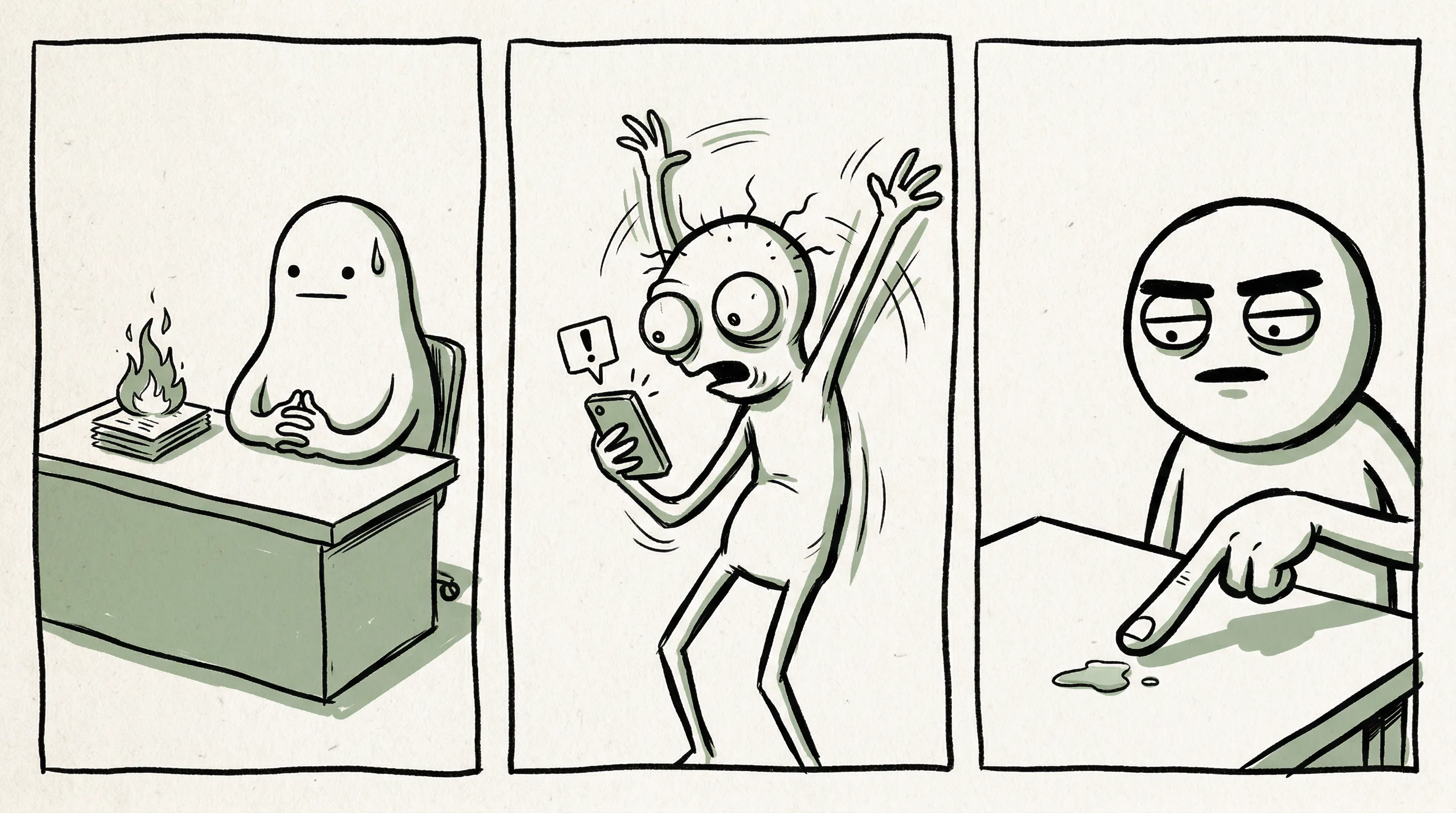
This collage was generated in the same live workflow and intentionally spans more than one preset family. That is the practical point of the cluster: one reliable capability path can support several article angles without turning into low-value template spam.
Live capability check
AnyCap status was rechecked on April 8, 2026 before expanding this cluster. Image generation, image reading, Drive, Page, and video generation were available.
Real generated examples
The hero and collage on this page were generated with Nano Banana 2 for this workflow, not added as decorative stock art later.
SERP sanity check
Live SERP checks showed funny meme drawings are more workflow-friendly than rage-comic history or highly specific meme-lore pages.
Command examples
Start with the preset that matches the joke
Classic doodle prompt
anycap image generate \
  --model nano-banana-2 \
  --prompt "funny meme drawing, classic doodle internet-humor style, exhausted office goblin melting into an office chair while holding a tiny coffee cup, absurd tiny-problem energy, wildly exaggerated defeated expression, messy desk chaos without readable screens, thick sketch lines, off-white paper texture, muted green accents, obvious blank space for optional caption, no words, no letters, no watermark" \
  --param aspect_ratio=4:3 \
  --param resolution=2k \
  -o funny-meme-drawings-hero.png
Bad drawing variant
anycap image generate \
  --model nano-banana-2 \
  --prompt "intentionally bad meme drawing, awkward office creature reacting to a tiny notification like it is world-ending, uneven hand-drawn lines, exaggerated emotion, funny because the art is clumsy, white background, caption-safe space, no words, no letters" \
  --param aspect_ratio=1:1 \
  --param resolution=2k \
  -o bad-drawing-meme.png
Check if the joke reads
anycap actions image-read \
  --file ./funny-meme-drawings-hero.png \
  --instruction "Describe the scene, note whether any visible letters appeared, and say if the image still reads as a meme at thumbnail size."
Common mistakes
Most pages fail when they chase heat instead of workflow
- Making the drawing too detailed. Meme drawings usually get weaker when the scene looks polished instead of immediate.
- Trying to force exact caption text into the model output. That is where readability usually breaks.
- Treating rage-comic nostalgia as the main content bet. The SERP is often looking for lore, not a workflow tutorial.
- Launching too many style pages before the main doodle page proves that the cluster can attract impressions and clicks.
Next step
Move from one style page into the broader cluster
Main meme workflow
Go back to the anchor page if you want the broader workflow around caption control, delivery, and repeatability.
Image Generation
See the capability surface that powers the first-pass images and iterative style exploration.
Install AnyCap
Use this when you want the shortest path from article to working CLI setup.
Skills
See how a reusable skill turns this from a one-off prompt into a repeatable workflow.
Easy Memes to Draw
Go narrower if you want the beginner-friendly starter-sheet version of this style family.
Bad Drawing Memes
Go deeper on the awkward-on-purpose variant when the joke depends on the art looking clumsy.
FAQ
Common questions before you expand this style family
What style is the best fit for funny meme drawings?
Classic doodle or stick-figure-adjacent humor is usually the best fit. It maps well to search intent, tolerates stylization, and still works even before exact caption text is added.
Should I make a separate page for every meme style?
No. A few repeatable presets are more useful than a long list of trend pages. The strongest setup is one anchor workflow plus a small number of style-specific supporting pages.
Is Nano Banana 2 the first model to try here?
Yes. Nano Banana 2 is the best first model when you want fast iteration across doodle, bad-drawing, and simple comic-panel directions.
Do funny meme drawings still need deterministic captions?
Sometimes not. If the drawing carries the joke already, you can publish it as-is. When the exact line matters, keep the caption deterministic after generation.