Use Cases
By AnyCap Team · Last updated April 8, 2026
How to make memes online
without breaking the workflow
If you are asking how to make memes online, the more useful question is not whether you can find another meme website. It is whether your agent can generate the base visual, keep the caption exact, and hand off a shareable asset without making you bounce between disconnected tools. That is the role AnyCap image generation can cover around Codex, Cursor, and Claude Code.
Answer-first summary
The cleanest way to make memes online with an AI agent is to let AnyCap handle the image generation or image editing layer, then place the final caption text deterministically. That gives you stronger visuals than a generic template tool while keeping the copy exact and the output reproducible. For `funny meme drawings`, this is even more useful because the drawing itself can carry the joke before you add any final caption.
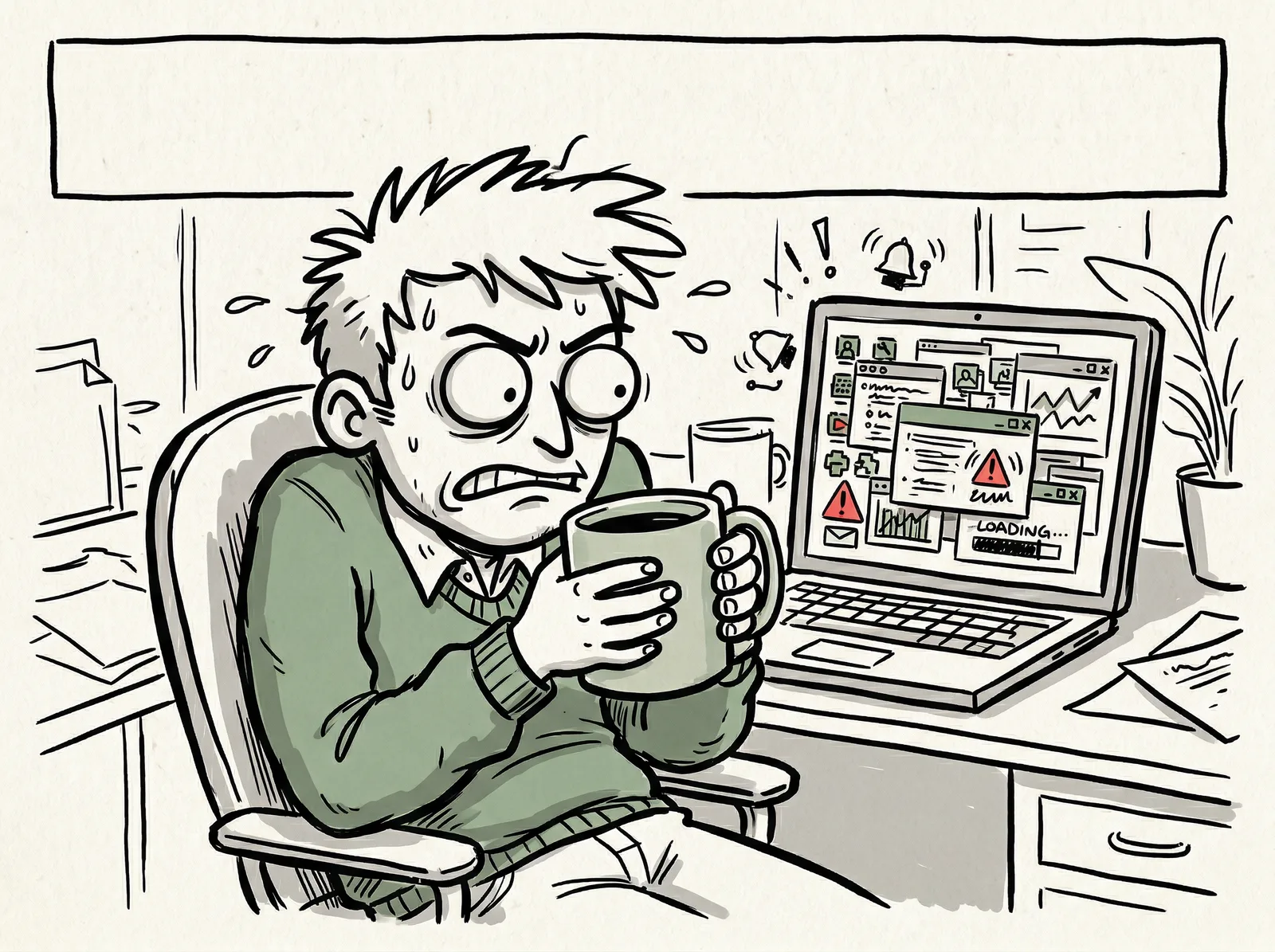
This workflow image was chosen because it leaves a clean caption band at the top. It shows the page's real recommendation in one frame: let the model handle the visual, then place the final meme text deterministically where the layout already supports it.
Quick answer
The practical answer is a two-layer workflow
To make memes online in a way that still fits an agent workflow, split the job into two layers. Let the model generate or edit the visual layer, and let the agent keep the caption layer exact. That is the point where a workflow becomes more reliable than a shallow meme maker.
- The strongest workflow is not 'ask the model to render the final meme text.' It is 'generate or edit the base visual, then place the exact caption deterministically.'
- That split makes the image stronger than a shallow template tool while keeping the final copy readable, repeatable, and shareable.
- The same workflow fits joke memes, captioned social graphics, blog lead images, and lightweight internal team visuals.
One of the highest-fit versions of this workflow is funny meme drawings. Compared with photoreal meme requests, rough internet-humor drawings give the model more room to be expressive, and they still work even when the final caption is added later.
Workflow
Five steps from joke to finished asset
Step 1
Write the joke, reaction, or hook first
Start with the exact line you want the image to carry. In this workflow, the caption is treated as product copy, not a fuzzy prompt detail.
Step 2
Generate the base visual with AnyCap
Ask the agent to create or edit an image that leaves clean caption-safe space at the top, bottom, or side instead of asking the model to render the final text itself.
Step 3
Overlay exact text locally
Render the caption deterministically so line breaks, emphasis, and wording are exact on every run.
Step 4
QA readability with the agent
Use image reading to verify that the text is actually legible at thumbnail size and that the composition still lands as a meme instead of a cluttered graphic.
Step 5
Share or publish the result
Keep the file local for immediate review, upload it to Drive for a share link, or publish a mini gallery through Page when the output belongs in a workflow handoff.
Core rules
The caption is exact copy.
The model handles the visual.
- Treat the caption as exact copy. Do not leave final wording up to the image model.
- Prompt for negative space explicitly so the overlay has room to breathe.
- Judge the result at thumbnail size. A meme that only works at full size is usually too busy.
- Use the same workflow for joke memes, captioned social posts, and lightweight editorial graphics.
First-hand validation
What we verified on the live AnyCap workflow
Capability surface confirmed
During page production on April 8, 2026, a live AnyCap status check confirmed image generation, image editing, image reading, Drive, Page, and video generation were available in the current environment.
First-pass image tested
The featured workflow image on this page was generated in the live workflow with Nano Banana 2, not mocked in a design tool after the fact.
Image QA tested
Image reading was used to check whether the hero visual contained garbled letters and whether the composition actually supported the article claim.
Core workflow decision
The page recommendation comes from direct workflow testing: keep the model focused on the visual layer and keep the final caption exact through deterministic overlay.
Model choice
Choose the image model by workflow, not by hype
Best first-pass image
Seedream 5
Use this when the meme starts from an idea and you want the first generated image to feel closer to final.
Best for remixing a source image
Nano Banana Pro
Use this when you already have a screenshot, selfie, or reaction image and want the agent to clean it up or exaggerate the mood.
Best for funny meme drawings and fast variants
Nano Banana 2
Use this when you want many directions quickly, especially when the joke lives in a doodle-like drawing style instead of a polished commercial visual.
Comparison
Generic meme maker vs agent plus AnyCap
| Lens | Generic meme maker | Agent plus AnyCap |
|---|---|---|
| Base visual quality | Fast templates or low-control generators often constrain the look. | AnyCap lets the agent choose an image model based on first-pass quality, editability, or speed. |
| Exact caption control | Many generators try to render the text directly, which is where captions start to drift or break. | The agent keeps the caption deterministic after generation, so the final copy stays exact. |
| Reusability | The workflow usually ends when one image is exported. | The same pattern can be reused for social posts, launch jokes, blog visuals, and internal team graphics. |
| Delivery | Most meme tools stop at download. | The agent can keep the asset local, upload it through Drive, or package it into a Page handoff. |
Command examples
The agent workflow in commands
Generate a funny meme drawing
anycap image generate \
  --model nano-banana-2 \
  --prompt "funny meme drawing, crude but charming internet doodle style, exhausted office goblin melting into an office chair while holding a tiny coffee cup, absurd tiny-problem energy, wildly exaggerated defeated expression, messy desk chaos without readable screens, thick sketch lines, off-white paper texture, muted green accents, obvious blank space for optional caption, no words, no letters, no watermark" \
  --param aspect_ratio=4:3 \
  --param resolution=2k \
  -o funny-meme-drawing.png
Remix an existing reaction image
anycap image generate \
  --model nano-banana-pro \
  --mode image-to-image \
  --prompt "preserve the subject, sharpen the framing, simplify the background, keep clear caption-safe space at the top and bottom" \
  --param images=./reaction-source.png \
  --param aspect_ratio=1:1 \
  --param resolution=2k \
  -o meme-remix-base.png
QA the final meme
anycap actions image-read \
  --file ./final-meme.png \
  --instruction "Read the visible caption text exactly and say whether it is easy to read at small size."
Style deep dive
Want the preset-specific visual examples?
The multi-panel doodle collage now lives on the dedicated `funny meme drawings` page. That keeps this anchor page focused on the workflow itself instead of repeating the style-page visuals.
Browse Funny Meme DrawingsOutput types
This workflow is broader than internet-joke pages
Funny meme drawings
Generate rough, expressive doodle-style scenes where the humor already lands before you add any caption text.
Captioned social post
Create a square or vertical visual for social distribution without switching between a separate generator and a separate caption tool.
Blog lead image with attitude
Use meme language and agent workflows to create a more distinctive header image than a generic stock visual.
Internal team joke with clean delivery
Keep the output reproducible when a team wants a visual joke that still looks intentional and shareable.
Next step
Move from the concept into a working setup
Image Generation
See the exact AnyCap surface that handles first-pass images and image editing loops.
Skills
Understand how a skill teaches Codex, Cursor, or Claude Code to run this workflow consistently.
Install AnyCap
Go here when you want the shortest path from article to working CLI.
Funny Meme Drawings
Go deeper on the strongest style family if you want the preset, prompt, and SEO cluster logic in one page.
Bad Drawing Memes
Use this supporting page when the joke works because the art looks intentionally awkward instead of polished.
FAQ
Common questions before you build the workflow
Is this a normal meme template library?
No. This page is about a repeatable agent workflow. The agent uses AnyCap to generate or edit the base visual, then applies exact caption text locally so the final meme is readable and reproducible.
Can AnyCap generate the exact meme text inside the image?
You should not depend on that. Image models are good at style, framing, and variation, but exact caption text is more reliable when it is overlaid deterministically after the image is generated.
Which AnyCap image model should I use first?
Use Nano Banana 2 first when the target is funny meme drawings or fast visual iteration, Seedream 5 when you want a stronger first-pass polished image, and Nano Banana Pro when you are editing an existing screenshot or reaction image.
Does this workflow fit only joke memes?
No. The same workflow also fits captioned photos, launch jokes, blog lead images, lightweight social graphics, and internal team visuals that still need exact copy.